WooCommerce - Salesforce Demo
How to Sync Wocommerce Products into internal Salesforce?
This document demonstrate how we can Import Products of Woocommerce into internal Salesforce and where we can
view the products in internal salesforce.
Please Follow the below steps with screenshot to import Woocommerce Product.
Step 1 : We Need USERNAME and PASSWORD of woocommerce Website.
Login URL :https://woocommerce.arcsdev.com/wp-login.php
Username :admin998
Password :ul#4PbAZ!pi)HL#IcP
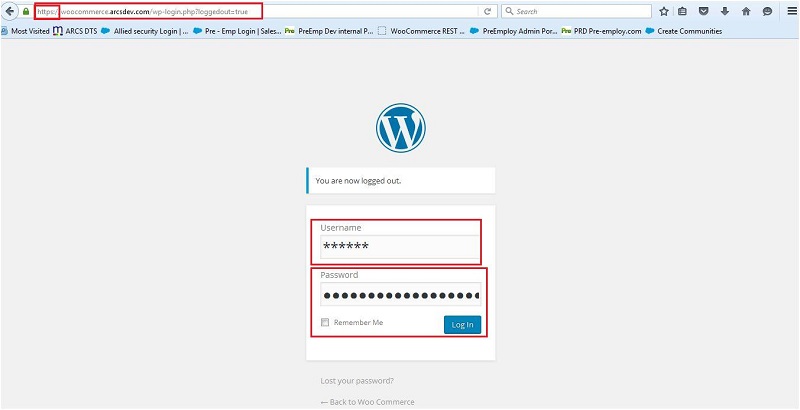
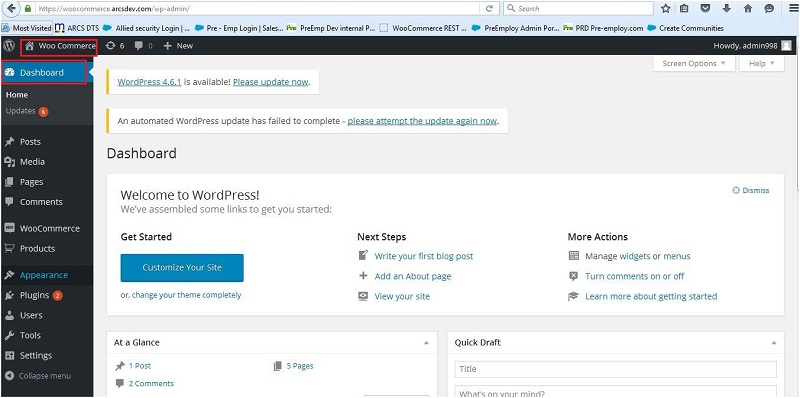
Step 2 : Https must be enabled for the Woocommerce Website.
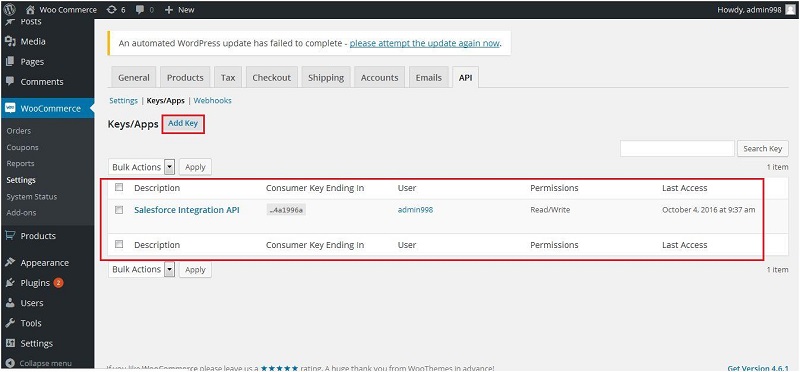
Step 3 : REST API should be Enabled for Woocommerce Website and API key is generated. Please follow
the below screen shot to enable the REST API and generate API key.
-
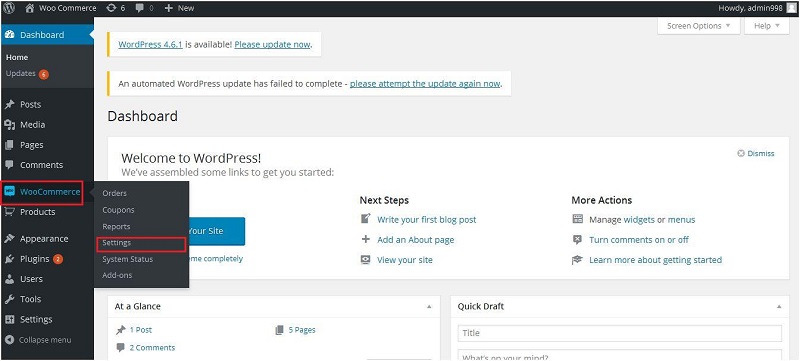
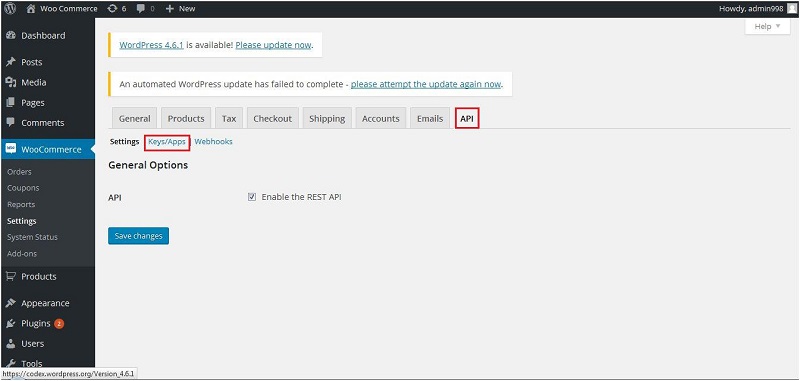
Click On WooCommerce and select Setting Option.
-
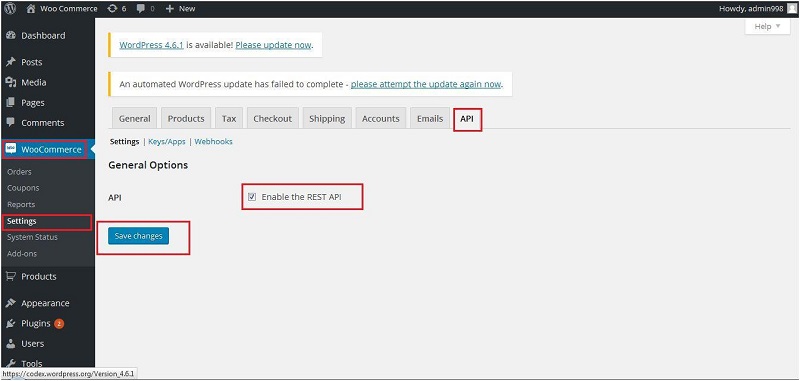
Click on API And Check that Rest API is Enable or not, if not then enable it and save.
-
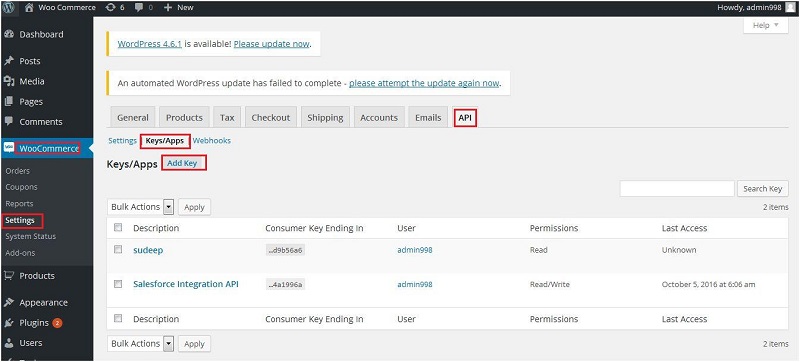
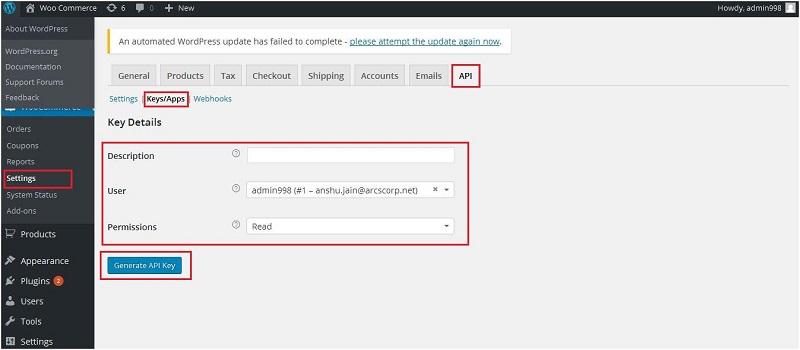
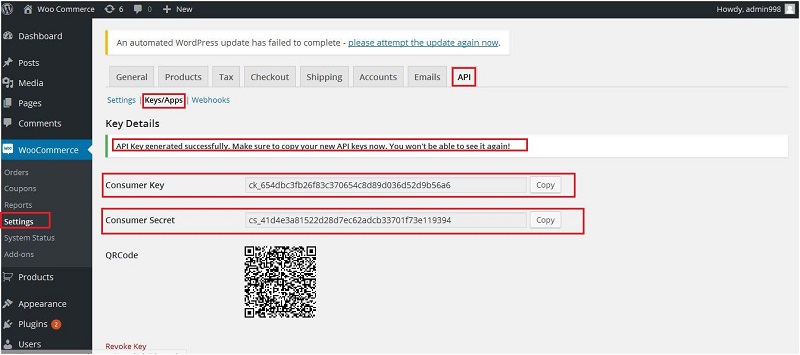
Click on "Key/Apps" and check security key is generated or not, if not then click on "Add Key"to generate the security code and copy both(Consumer_key and Consumer_secret Key) the codes and store somewhere.
Sandbox Details :
Login URL : Login.salesforce.com
Username : webconnectiondevqc@arcscorp.net
Password : Access@9987
Step 4 : Please note that instead of Hardcoded REST API and Security, we have used the Custom Setting
facility provided by Salesforce. We have stored REST API and security Token (Consumer_key and Consumer_secret Key) into EndPoint URL.
Custom Setting Details : Please Follow Below Steps into internal SF :
Setup -> Develop ->Custom Setting -> WooCoomerceConf
Custome Setting URL :https://ap2.salesforce.com/setup/ui/viewCustomSettings.apexp?setupid=CustomSettings&id=01I28000001pXm2
Custom Setting Definition : WooCoomerceConf
Custom Field Name : EndPointURL
Field API Name : EndPointURL__c
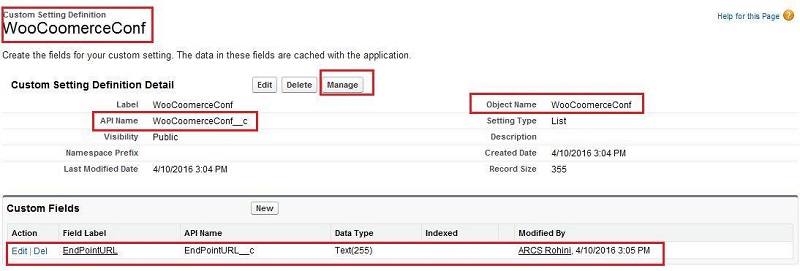
Now click on Mange button and check for the End Point URL.
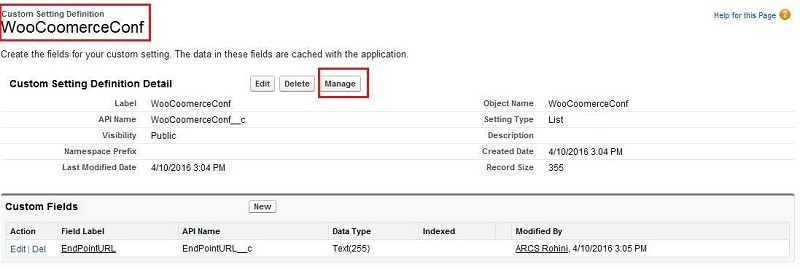
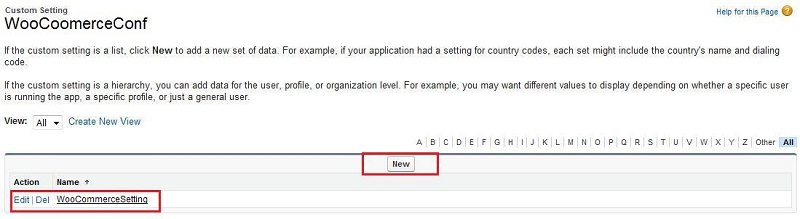

Step 5 : After all the above setting, please open the visualforce Page : "WooCommerce".
VisualForce Page URL :https://c.ap2.visual.force.com/apex/WooCommerce
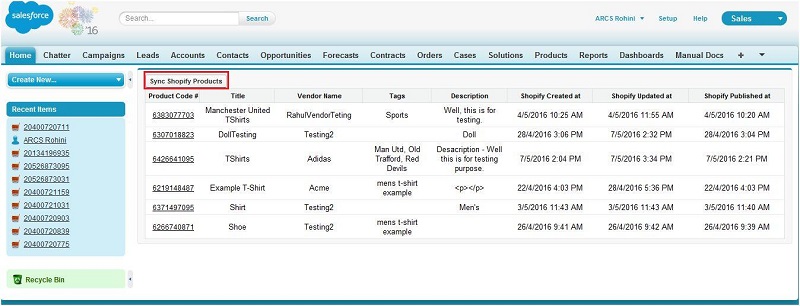
Step 6 : Click on the Button : "Sync WooCommerce Products" on the page layout.
Step 7 : All the Woocommerce products are inserted/ updated on the same layout as we can see on the
page layout
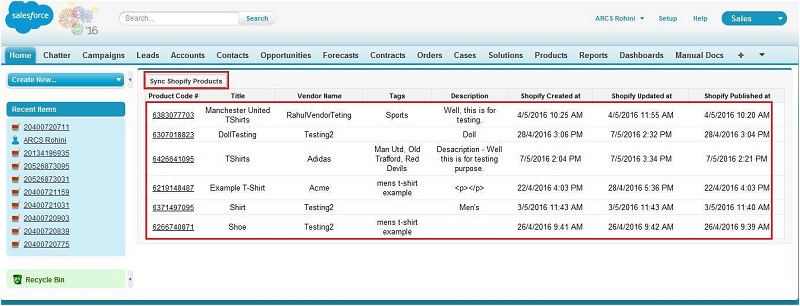
Note : We are only inserting new products of woocommerce and updating the product which are already inserted into internal SF. Delete function is not available in this enhancement.
Future Enhancement : We can delete the products if products are deleted form woocommerce website and we
can also sync the woocommerce products from internal SF.