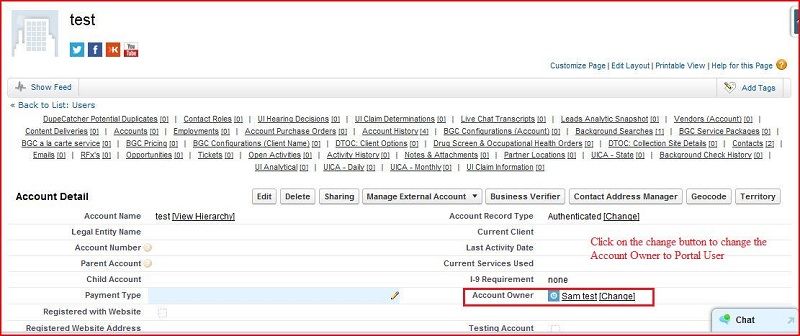
How to provide permission to a Profile/User on an object's record
Firstly login with sandbox:
test.salesforce.com
(given Credentials)
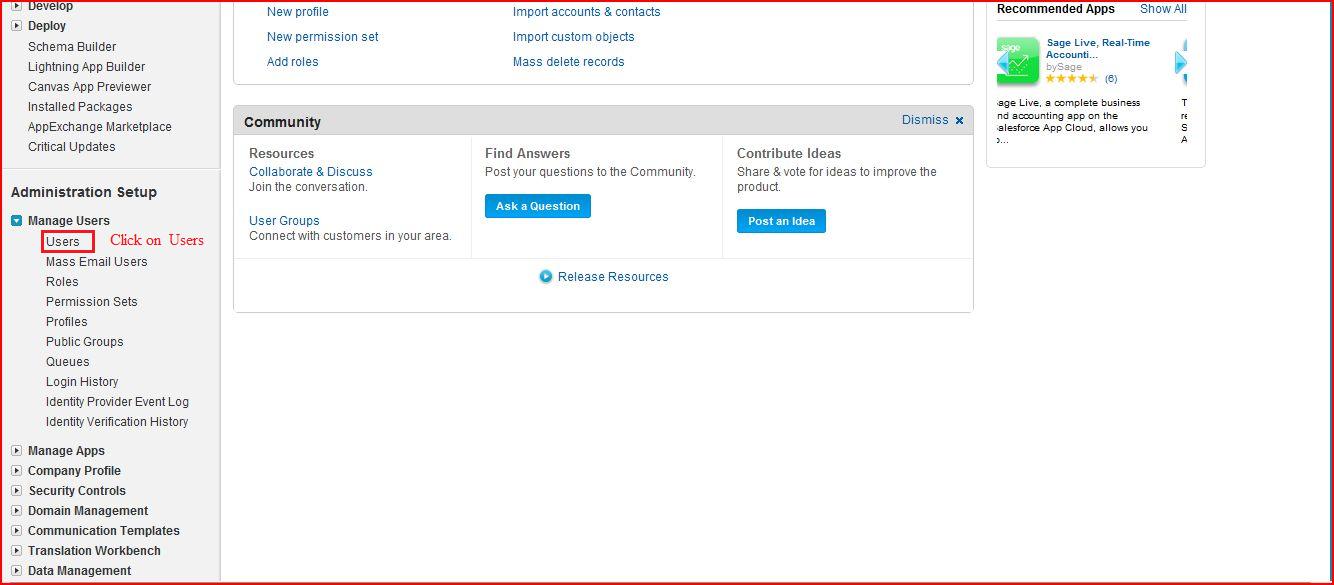
Go to setup ----> Administration Setup -----> Manage users ----> Users
There are lots of
Users
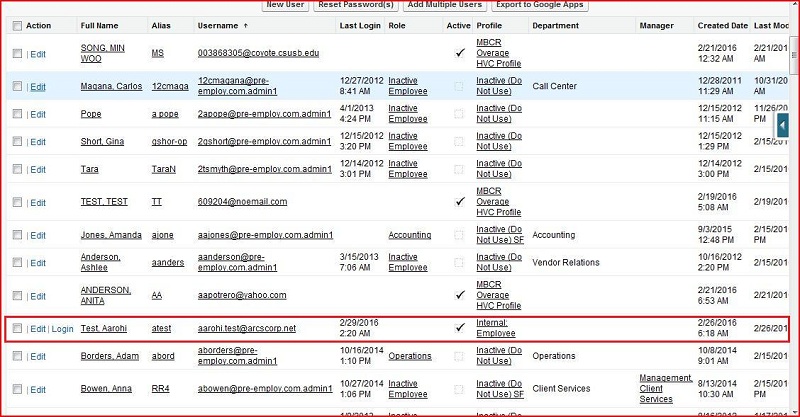
Click on the
Test Aarohi
User
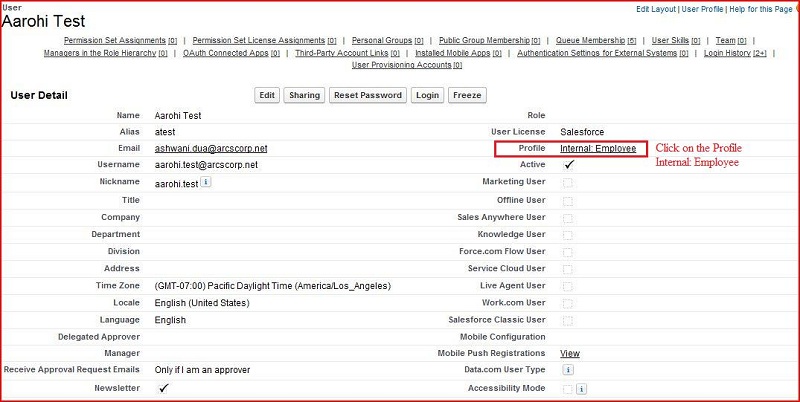
OR
We can Open the Profile from another way.
Go to Setup ----> Input the Profile (under the Manage users)
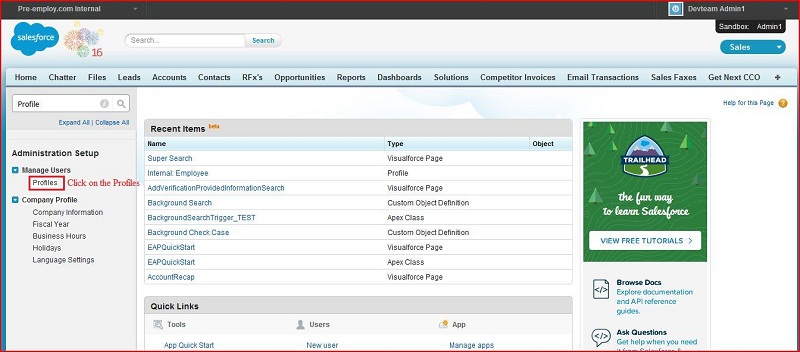
Click on the Profile
Internal: Employee
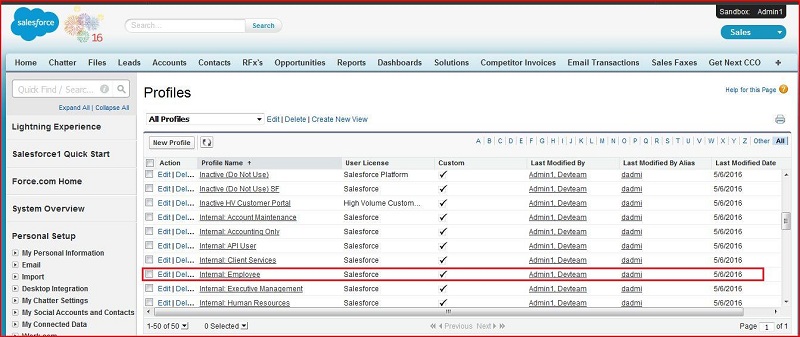
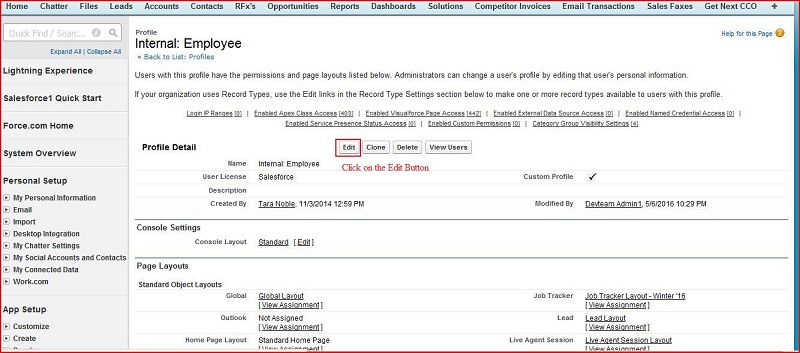
Click on the
Edit
Button
This
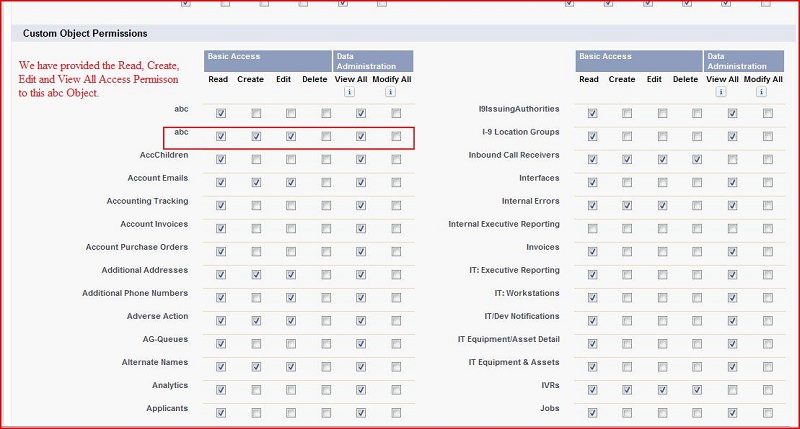
Custom Object
has no permission set for
Internal: Employee
Profile
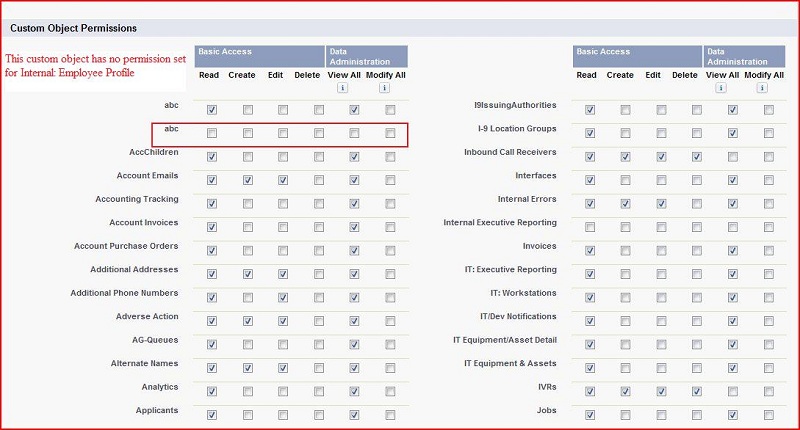
We have provided the Read, Create, Edit and View All Access permisson to this
abc
Object
Then click on the
Save
Button. Now this object is Visible for
Internal: Employee
Profile
There are three way to provide the permission to the
User:
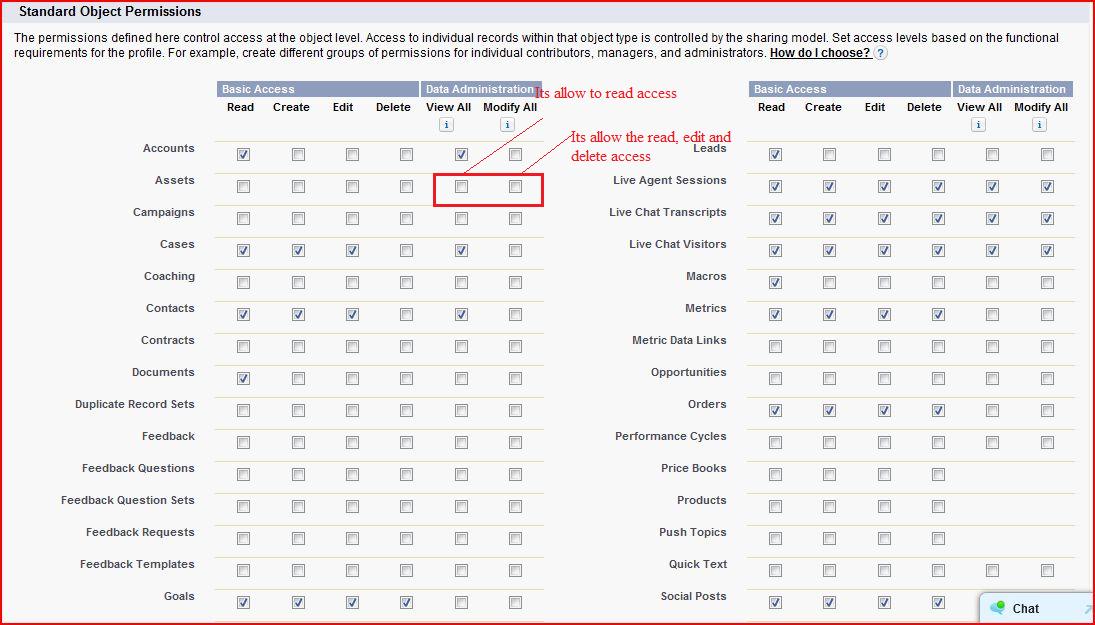
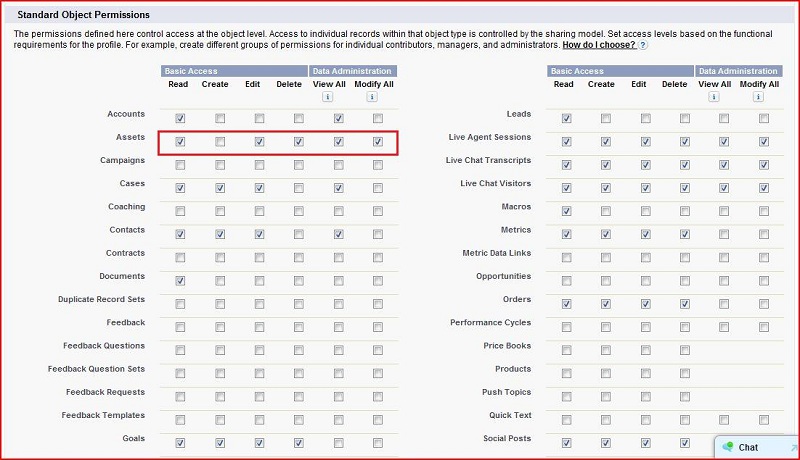
View All / Modify All
Using Sharing Set
Owner Access
View All / Modify All
Go to Setup ----> Administration Setup ----> Manage users ----> Profiles ----> click on the Profiles
---->
Display lots of Profile ----> Click on the Internal: Employee Profile
Click on the
Edit
Button
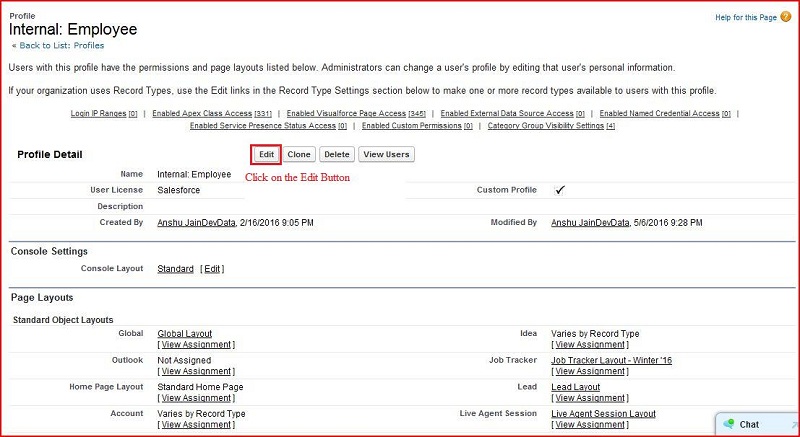
Then click on the
Save
Button
Using Sharing Set
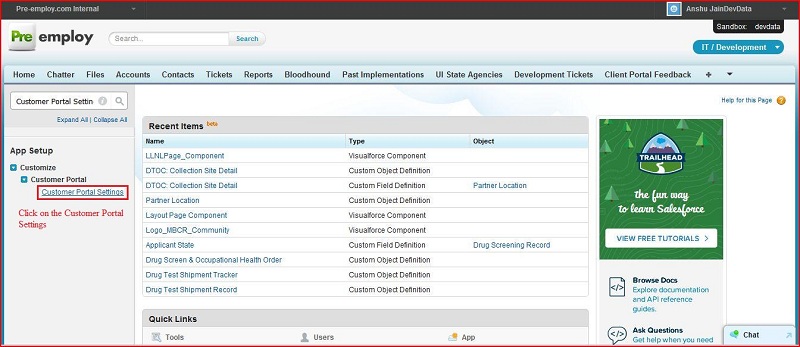
Go to Setup ----> App setup ----> Customize ----> Customer Portal ----> customer Portal settings
Click on the
Customer Portal Settings
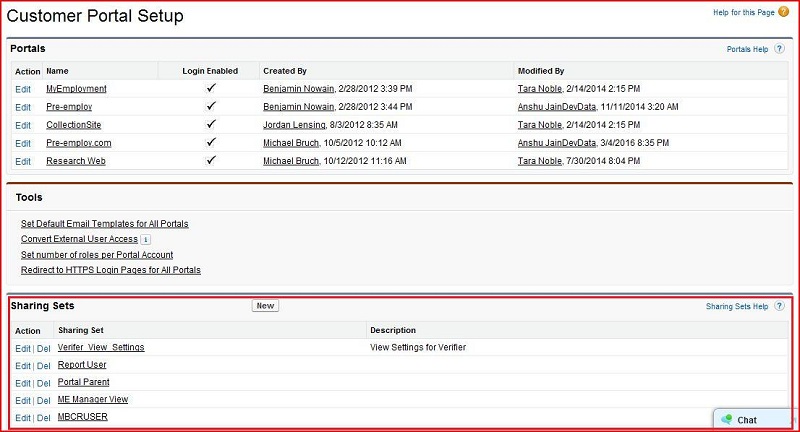
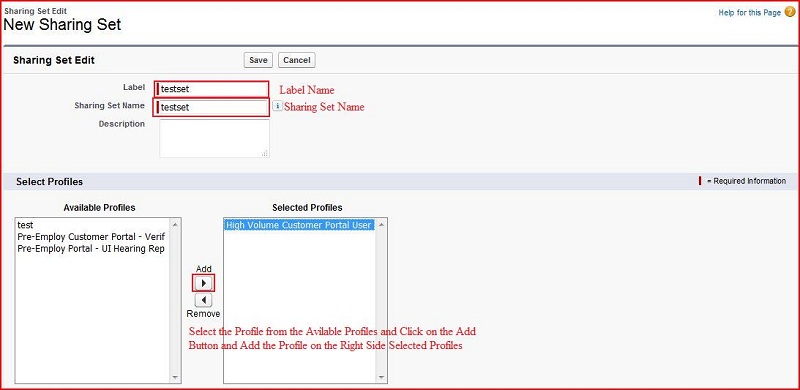
We can click on the
New
Button for creating the sharing sets
Click on the Setup button
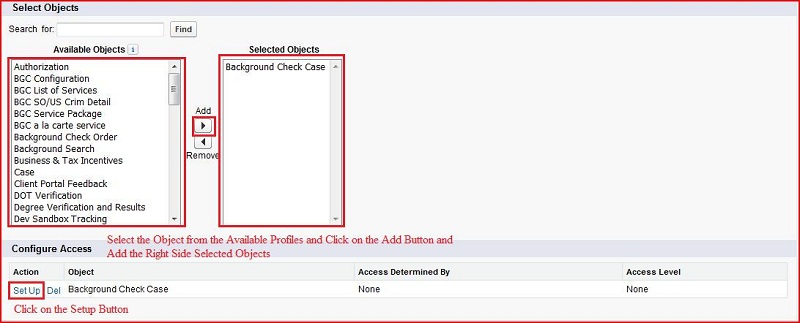
Click on the Update button
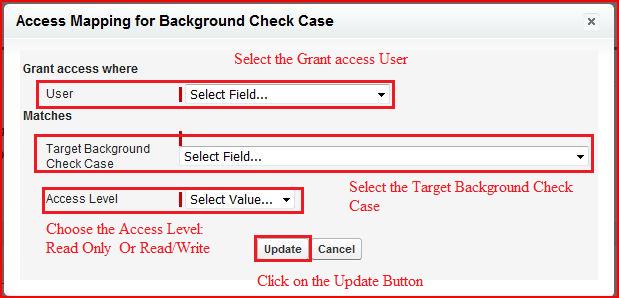
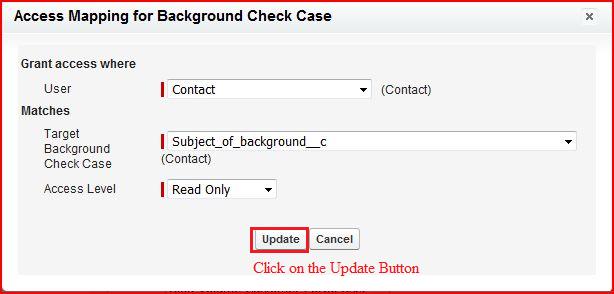
Click on the save button
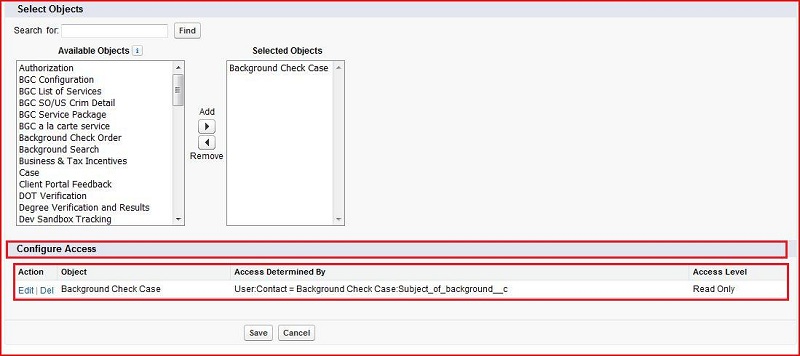
Its display the Configure Access
Owner Access
Click on the
Account
Tab ----> click on the
New
Button