How to Create jurisdiction data with various search type.
Why jurisdiction data is needed and what is its importance ?
Jurisdiction generally describes any authority over a certain area or certain persons. In the law, jurisdiction sometimes refers to a particular geographic area containing a defined legal authority. For example, the federal government is a jurisdiction unto itself. Its power spans the entire United States. Each state is also a jurisdiction unto itself, with the power to pass its own laws. Smaller geographic areas, such as counties and cities, are separate jurisdictions to the extent that they have powers that are independent of the federal and state governments.
Jurisdiction also may refer to the origin of a court's authority. A court may be designated either as a court of general jurisdiction or as a court of special jurisdiction. A court of general jurisdiction is a trial court that is empowered to hear all cases that are not specifically reserved for courts of special jurisdiction. A court of special jurisdiction is empowered to hear only certain kinds of cases.
Courts of general jurisdiction are often called district courts or superior courts. In New York State, however, the court of general jurisdiction is called the Supreme Court of New York. In most jurisdictions, other trial courts of special jurisdiction exist apart from the courts of general jurisdiction; some examples are probate, tax, traffic, juvenile, and, in some cities, Drug Courts. At the federal level, the district courts are courts of general jurisdiction. Federal courts of special jurisdiction include the U.S tax court and the Bankruptcy courts.
For attaching jurisdiction in the search type we have to create the county record for associated the state and create the zip code with associate the county. When we create the jurisdiction for associated zip code county, jurisdiction record is attached in the search.
Jurisdiction Data:
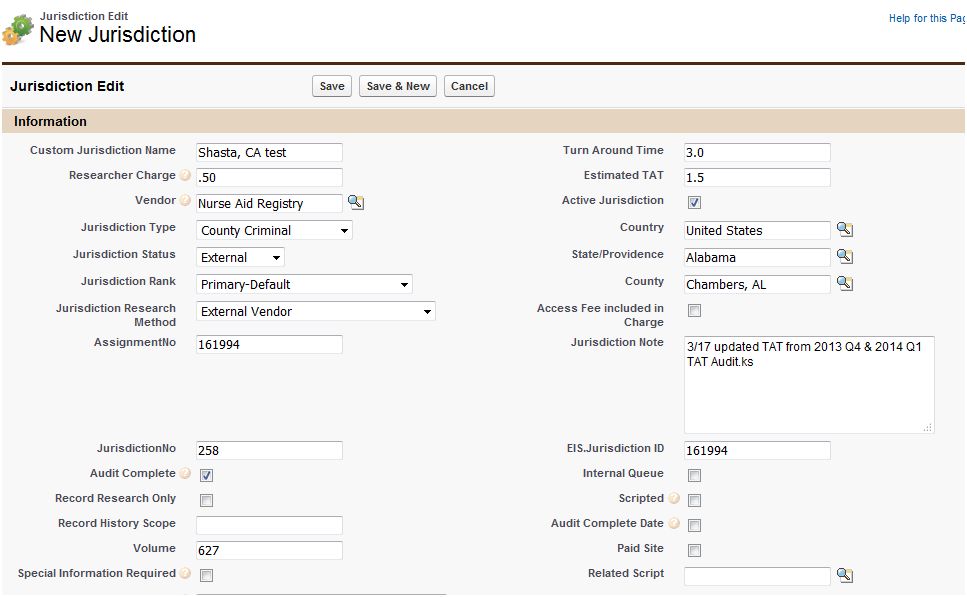
⇒Jurisdiction data is the static data, this data is created based on the Vendor, County and Location based Or Non Location based. This data will added in the background search at the time of search creation.
Click on all tab ⇢ Click on Jurisdictions ⇢ Click new ⇢ Fill the details and save.
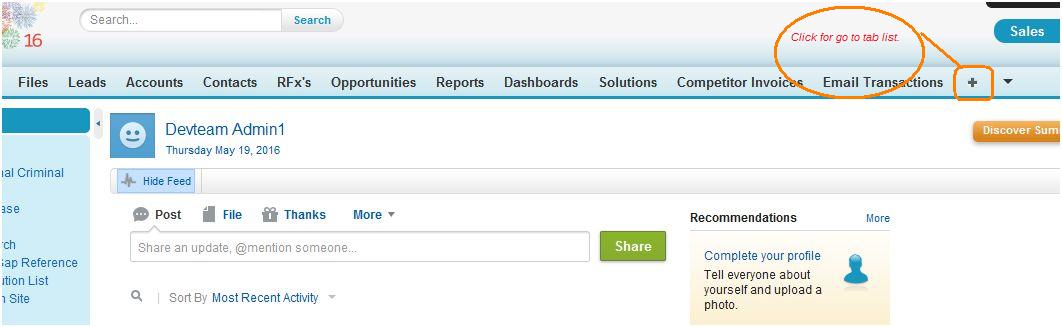
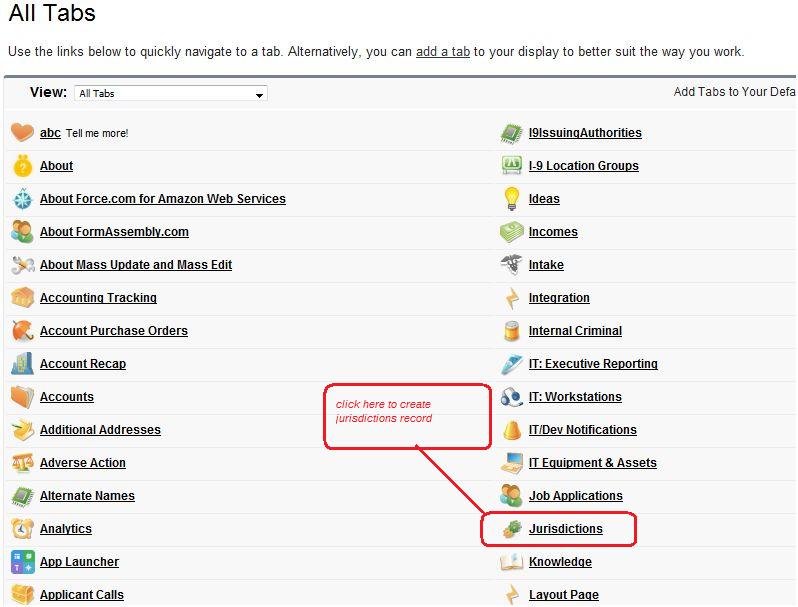
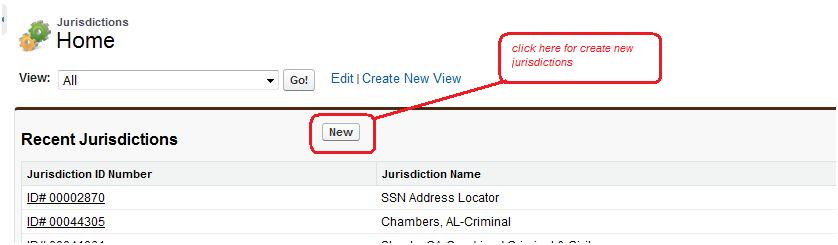
Jurisdiction Data Creation Criteria:
⇒We are creating jurisdiction for Add Search or for new case:
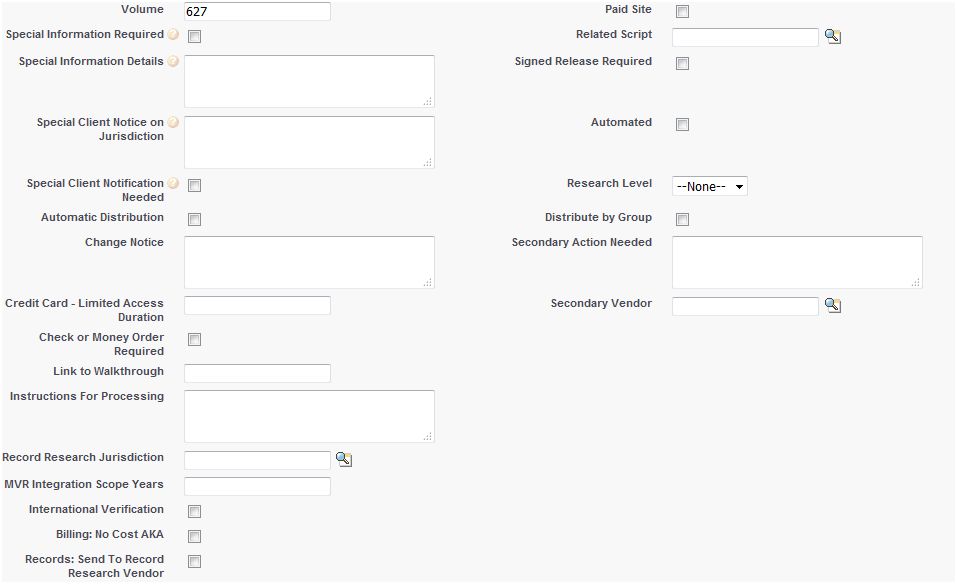
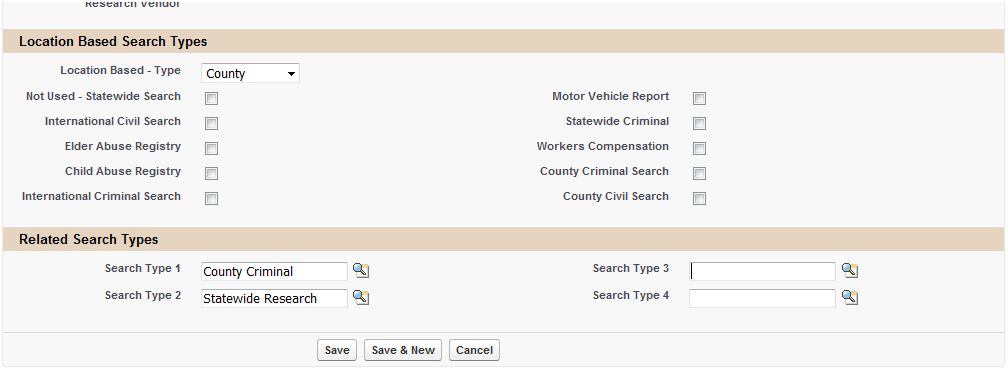
First we try to create the jurisdiction by Search Type if its value is provided as per below Basic criteria:
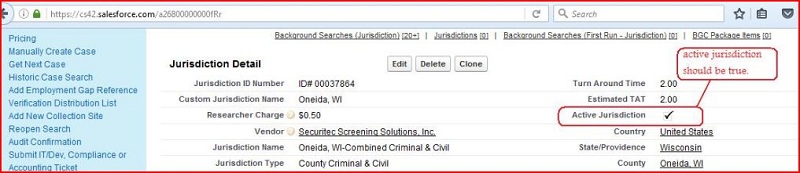
- Active jurisdiction should be checked
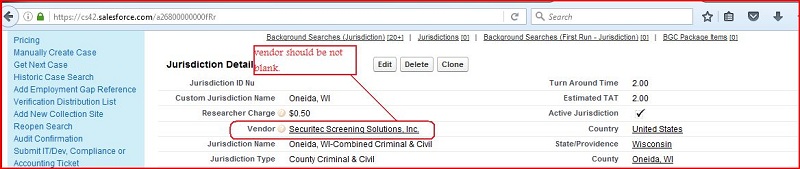
- Vendor should not be blank
- Jurisdiction Rank should be "Primary-Default" OR "Specialty Texas Research"
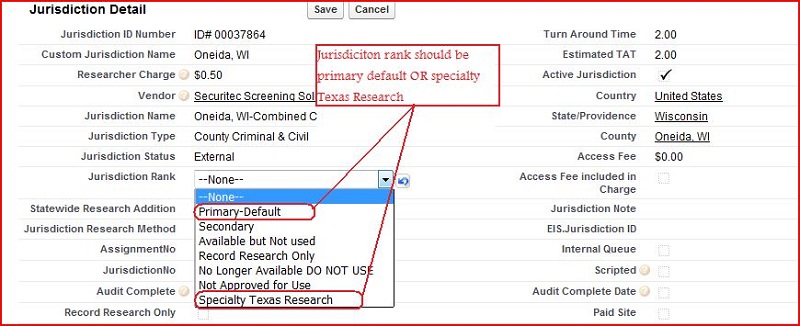
- Search type in "Search Type 1, Search Type 2, Search 3 and Search Type 4" should be equal to search type in associated jurisdiction.

1. If we fullfill the basic condition and Search type is location based, Jurisdiction's "Location based type" should be equal to Search type's location based, then we try to Create the jurisdiction by "County"(set this in corresponding search type of BGC list of services object as per given below SS).

If County value is provided, create jurisdiction as per following criteria:
- Jurisdiction's County should be equal to search record's County.
If County value not is provided, create jurisdiction as per following criteria:
- Jurisdiction's County should be equal to search record's ZipCode's County. If Zipcode in search record is blank then use zip code value from related BGC Order's record.
⇒ If we fullfill the basic condition and Search type is location based, Jurisdiction's "Location based type" should be equal to Search type's location based, then we try to create the jurisdiction by "Statewide"( set this in corresponding search type of BGC list of services object as per given below SS.) if its value is provided as per below Criteria :
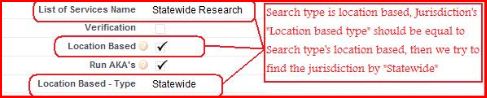
- Jurisdiction's State should be equal to search record's Applicant State/Providence. If Applicant State/Providence in search record is null then use State value from related Additional Address.
2. If Search type is non location based, then we try to create the jurisdiction by search type if its value is provided as per below Criteria :
- Active jurisdiction should be checked
- Vendor should not be blank
- Jurisdiction Rank should be "Primary-Default" OR "Specialty Texas Research"
- Jurisdiction by looking search type, search type in "Search Type 1, Search Type 2, Search 3 and Search Type 4" field of jurisdiction including all basic conditions.
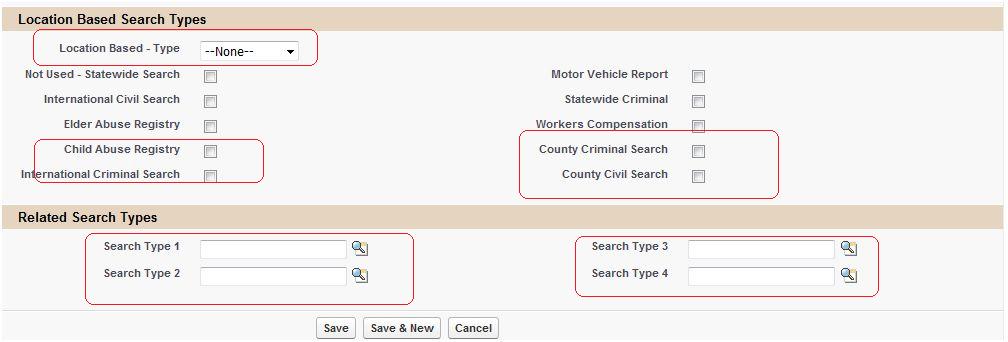
3.Special Case : "Specialty Texas Research" or Non "Specialty Texas Research"
⇒ If we fullfill the basic condition and search type is "Motor Vehicle Report", create jurisdiction as per following criteria:
- Jurisdiction's State should be equal to search record's Applicant State/Providence Or DL State from related PreEmploy Case's record Or DL State From Related BGC Order's record.
⇒ If we fullfill the basic condition and search type is "Child Abuse Registry", create jurisdiction as per following criteria:
- Jurisdiction's State should be equal to search record's Applicant State/Providence.
Note:
If we are using Jurisdiction Rank "Specialty Texas Research" in place of "Primary default" for jurisdiction, we have to following given below criteria :
- Specialty Texas Research should be true in the BGC Configuration of associated account.
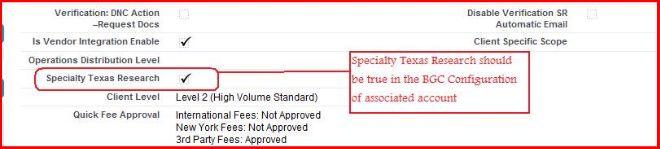
- Specialty Texas Research should be true in BGC List of services
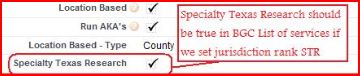
Checkpoints :
- Jurisdiction data may not be available for associated search.
- Search type may not set in given "Search Type 1, Search Type 2, Search 3 and Search Type 4" field of jurisdiction
- County may not available for this search type and zip code is not available
- Data mismatch
4. How to create the zipcode record for county and how to create the county record for state ?
We are creating Zipcode as for Associated county . This is create by using background search trigger when we have got record form addition address object and check zip code and state is not equal to null then find county .
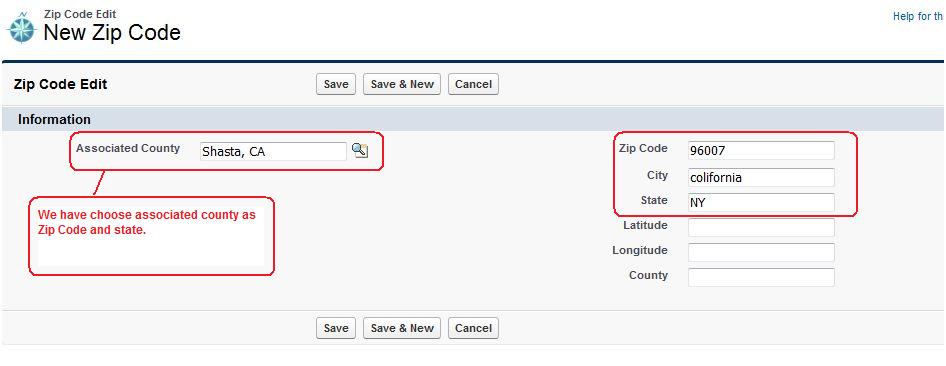
Logic for determining County from Zipcode:
⇒Look for County, Associated Country from ZipCode object based on Search.Applicant ZipCode or AdditionalAddress.ZipCode