Searches Creation Automation
Process Details
Script process:
- Automation process runs every 2 minutes on production server (52.23.86.209).
- Based on criteria set by trigger it creates the searches for pending case record.
- After all searches are created set record type back to Approved to Start so that internal user can start work on it.
Set Automation Process criteria in PreEmployCase trigger
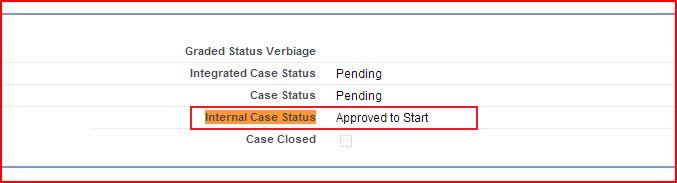
When new case is created script checks if Internal Case Status is equal to 'Approved to Start' Then
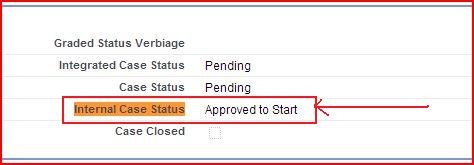
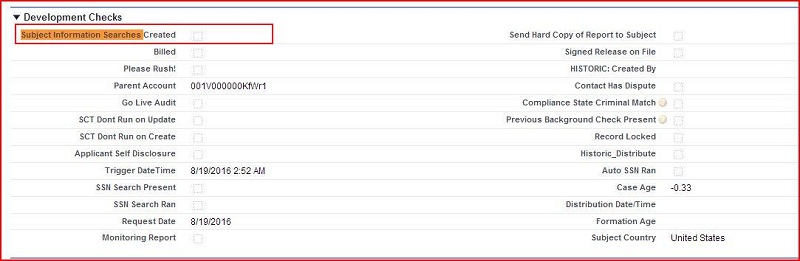
- Set 'Subject Information Searches Created' checkbox to checked.
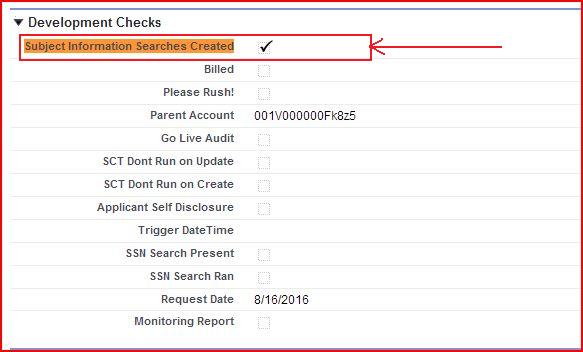
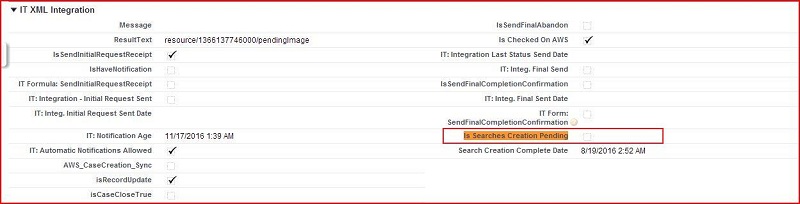
- Set 'Is Searches Creation Pending' checkbox to checked.
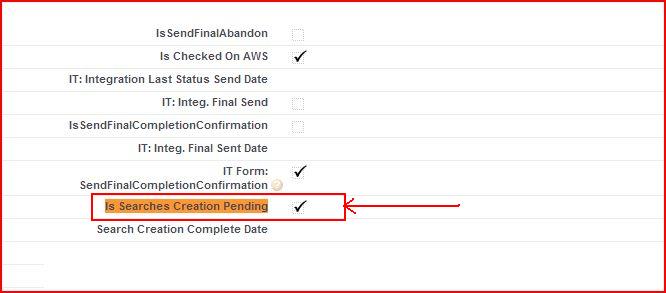
- Set RecordType to 'Automation in progress'.
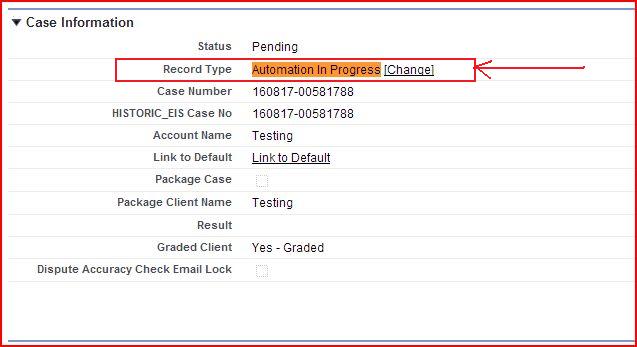
- Set Internal Case Status to 'Pending Automation' if 'Internal Case Status' not equal to
'Compliance Review Needed'.
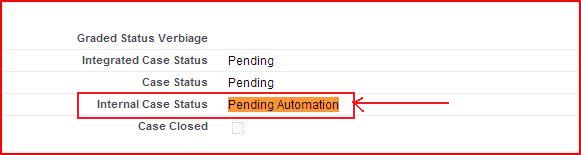
Pending Automation Criteria in Script:
First of all script looks for pending PreEmploy Case records as per following logic:
- Created Date should be within 4 days.
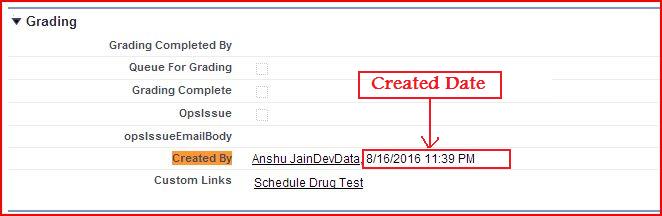
- Internal Case Status should be either 'Pending Automation' or 'Compliance Review Needed' or
'Formation on Hold - Pending Approval'.
- 'Is Searches Creation Pending' checkbox should be checked.
- 'Subject Information Searches Created' checkbox should be checked.
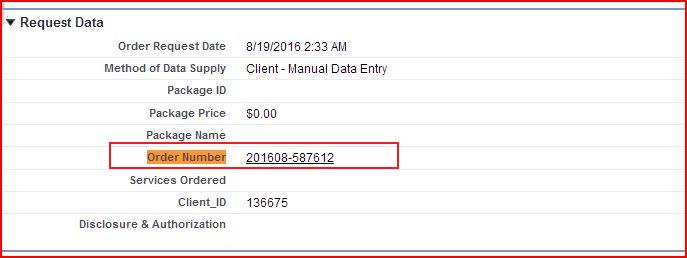
- Order Number should not be blank.
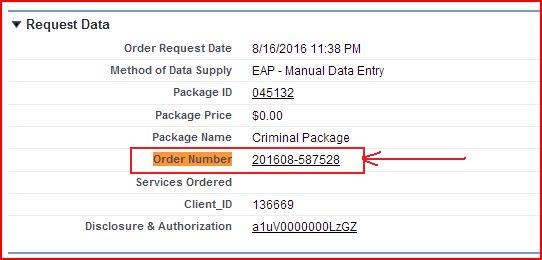
Detailed Technical Document
Set RecordType Variable:
After fetching pending case record from above condition, script set the given record type variables of Background Search object:
- Degree
- Reference
- Employment
- DOT Verification
- License
- Pending --> Only this one is being used now so we can remove others.
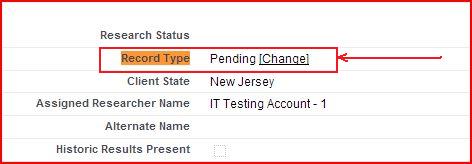
As per given below criteria:
- SobjectType should be equal to 'Background_Search__c'. If any record is found then set recordtype variable
for Background Search.
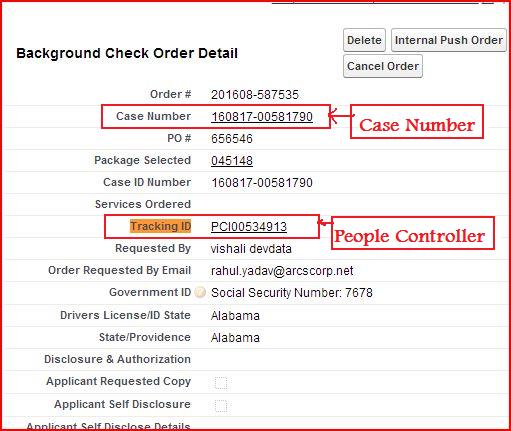
Update BGC Order for Case Number & People Controller:
Script looks for BGC order record of pending case as per given criteria:
- BGC Order's Id should be equal to processing PreEmploy Case's Order Number field.
If any record found as per above logic then updating the following fields of BGC Order if Case Number is blank or People
Controller is blank of BGC Order object:
- Set BGC Order's Case Number to processing PreEmploy Case's Name.
- Set BGC Order's People Controller to processing PreEmploy Case's People Controller if BGC Order's People
Controller is blank.
Fetch Package or Ala Carte's item from 'Service Ordered' using related Order
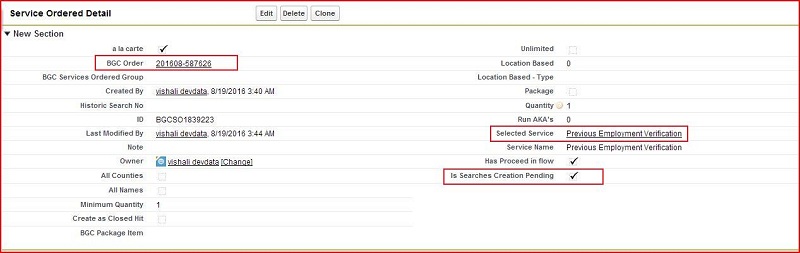
Script looks Service Ordered list for create background search of processing PreEmploy Case as per given below logic
- BGC Order should not be blank.
- BGC Order should be equal to processing PreEmploy Case's Order Number field.
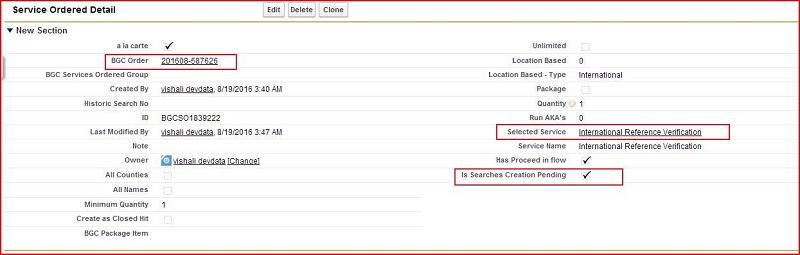
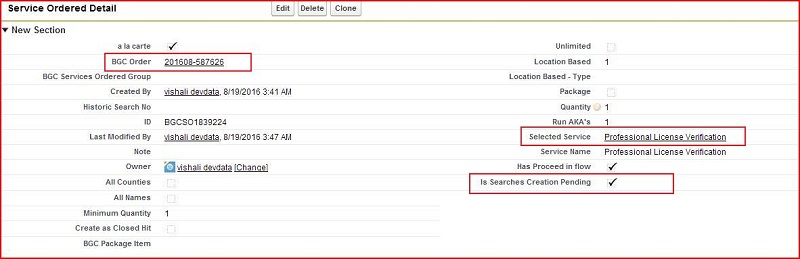
- Selected Service should not be blank.
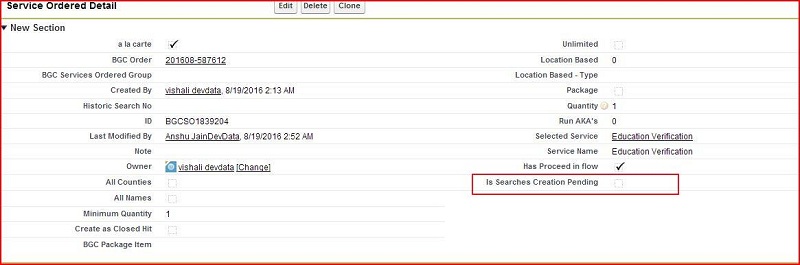
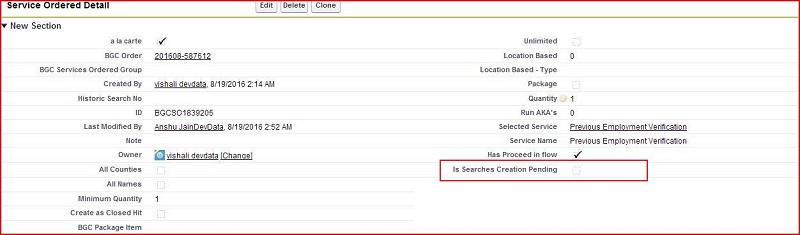
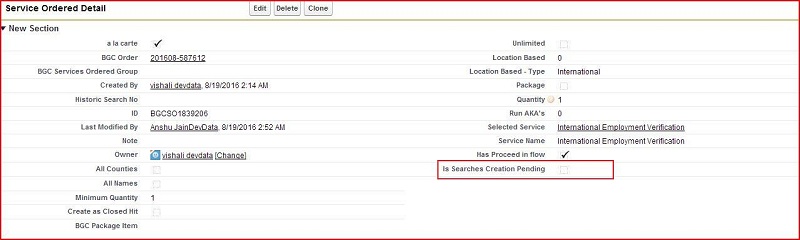
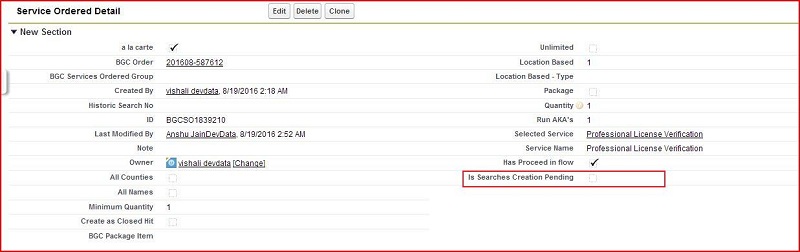
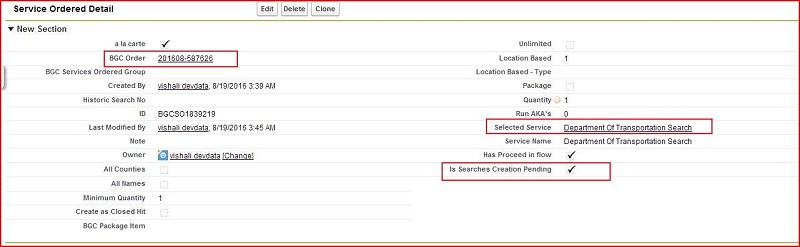
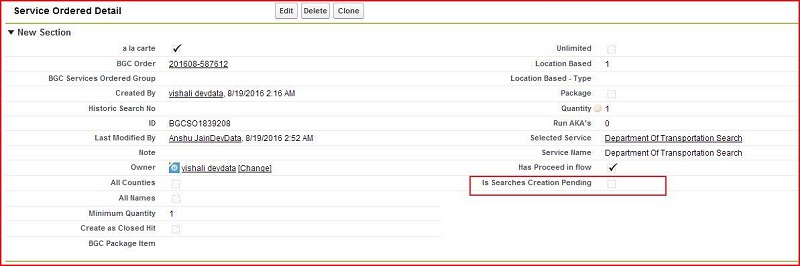
- 'Is Searches Creation Pending' checkbox should be checked.
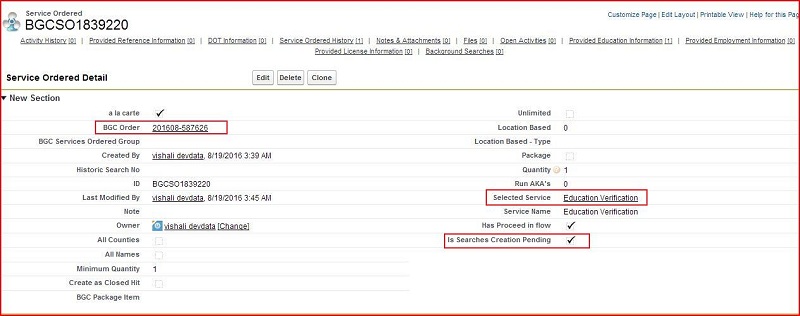
If any records found as per above conditions we hold the records in a list variables because no. of searches and their
types are being created according to the Service Ordered object's record.
Create Search for 'education' or 'degree' verification service ordered
- 1. If Service Ordered's Name contains either 'education' or 'degree', then, first of all script will consider total number of
BGC Degree Intake records as per given below logic :-
- BGC Order should be equal to processing PreEmploy Case's Order number.
- Background Search should be blank.
- 'Is Degree Searches Creation Pending' checkbox should be checked.
If any records found as per above logic we create the search for each intake record as given below.
- 1.a) Create background search.
Script use processing PreEmploy Case, BGC Order, Service Ordered and BGC List of Services object record values for
set into background search, i.e.
- Recordtype to Pending.
- Account , Subject First Name, Subject Last Name, Subject Middle Name, DL_or_ID_State, Order Request Date,
County, Subject of Background as per processing PreEmploy Case's values.
- Selected State/Providence, Subject Zip Code, Created By as per BGC Order's values.
- Historic Search No., Selected Service, Service Name, Package as per Service Ordered's value.
- BGC list of Services(Search Type) --> if selected country is US then "education verification" otherwise
"International degree verification"(if country is blank then it is being set as per Service name)
- 1.b) Update BGC Degree Intake record as given below:
- Set BGC Degree Intake's Background Check Case to processing PreEmploy Case
- Set BGC Degree Intake's Is Degree Searches Creation Pending checkbox to unchecked.
- Set BGC Degree Intake's Background Search to created Background Search.
Note: If no records are found in BGC Degree Intake record object then background search will not create for this service ordered item.
Create Search for 'Previous' or 'International' employment verification service ordered
- 1. If Service Ordered's Service Name contains 'employment'. then, first of all script will consider total number of BGC
Employment Intake records as per given below logic :-
- BGC Order should be equal to processing PreEmploy Case's Order number.
- Background Search should be blank.
- 'Is Employment Searches Creation Pending' checkbox should be checked.
If any records found as per above logic we create the search for each intake record as given below.
- 1.a) Create background search.
Script use processing PreEmploy Case, BGC Order, Service Ordered and BGC List of Services object record values for set
into background search, i.e.
- Recordtype to Pending.
- Account , Subject First Name, Subject Last Name, Subject Middle Name, DL_or_ID_State, Order Request Date,
County, Subject of Background as per processing PreEmploy Case's values.
- Selected State/Providence, Subject Zip Code, Created By as per BGC Order's values.
- Historic Search No., Selected Service, Service Name, Package as per Service Ordered's values.
- BGC list of Services(Search Type) --> if selected country is US then "previous employment verification" otherwise
"International Employment Verification"(if country is blank then it is being set as per Service name).
- 1.b) Update BGC Employment intake record as given below.
- Set BGC Employment Intakes's Background Check Case to processing PreEmploy Case.
- Set BGC Employment Intakes's Is Employment Searches Creation Pending' to unchecked.
- Set BGC Employment Intakes's Background Search to created Background Search.
Note: If no records are found in BGC Employment Intake record object then background search will not create for this service ordered item.
Create Search for reference service ordered
- 1. If Service Ordered's Service Name contains 'reference'. then, script will consider total number of BGC Reference
Intake records as per given below logic :-
- BGC Order should be equal to processing PreEmploy Case's Order number.
- Background Search should be blank.
- 'Is Reference Searches Creation Pending' checkbox should be checked.
If any record found as per above logic we create the search for each intake record as given below.
- 1.a) Create background search.
Script use processing PreEmploy Case, BGC Order, Service Ordered and BGC List of Services object record values for set
into background search, i.e.
- Recordtype to Pending.
- Account , Subject First Name, Subject Last Name, Subject Middle Name, DL_or_ID_State, Order Request Date,
County, Subject of Background as per processing PreEmploy Case's values.
- Selected State/Providence, Subject Zip Code, Created By as per BGC Order's values.
- Historic Search No., Selected Service, Service Name, Package as per Service Ordered's values.
- 1.b) Update BGC Reference intake record as given below.
- Set BGC Reference Intake's Background Check Case to processing PreEmploy Case.
- Set BGC Reference Intake's Is Reference Searches Creation Pending to unchecked.
- Set BGC Reference Intake's Background Search to created Background Search.
Note: If no records are found in BGC Reference Intake record object then background search will not create for this service ordered item.
Create Search for license service ordered
- 1. If Service Ordered's Service Name contains 'license'. then, script will consider total number of BGC License Intake
records as per given below logic :-
- BGC Order should be equal to processing PreEmploy Case's Order number.
- Background Search should be blank.
- 'Is License Searches Creation Pending' checkbox should be checked.
If any records found as per above logic we create the search for each intake record as given below:
- 1.a) Create background search.
Script use processing PreEmploy Case, BGC Order, Service Ordered and BGC List of Services object record values for set
into background search, i.e.
- Recordtype to Pending.
- Account , Subject First Name, Subject Last Name, Subject Middle Name, DL_or_ID_State, Order Request Date,
County, Subject of Background as per processing PreEmploy Case's values.
- Selected State/Providence, Subject Zip Code, Created By as per BGC Order's values.
- Historic Search No., Selected Service, Service Name, Package as per Service Ordered's values.
- 1.b) Update BGC License intake record as given below.
- Set BGC License Intake's Background Check Case to processing PreEmploy Case.
- Set BGC License Intake's Is License Searches Creation Pending to unchecked.
- Set BGC License Intake's Background Search to created Background Search.
Note: If no records If no records are found in BGC License Intake record object then background search will not create for this service ordered item.
Create Search for department of transportation service ordered
- 1. If current Service Ordered's Service Name contains 'department of transportation'. then, script will consider total
number of BGC DOT Intake records as per given below logic :-
- BGC Order should be equal to processing PreEmploy Case's Order number.
- Background Search should be blank.
- 'Is Dot Searches Creation Pending' checkbox should be checked.
If any records found as per above logic we create the search for each intake record as given below:
- 1.a) Create background search.
Script use processing PreEmploy Case, BGC Order, Service Ordered and BGC List of Services object record values for set
into background search, i.e.
- Recordtype to Pending.
- Account , Subject First Name, Subject Last Name, Subject Middle Name, DL_or_ID_State, Order Request Date,
County, Subject of Background as per processing PreEmploy Case's values.
- Selected State/Providence, Subject Zip Code, Created By as per BGC Order's values.
- Historic Search No., Selected Service, Service Name, Package as per Service Ordered's values.
- 1.b) Update BGC DOT intake record as given below.
- Set BGC DOT Intake's Background Check Case to processing PreEmploy Case.
- Set BGC DOT Intake's Is Dot Searches Creation Pending to unchecked.
- Set BGC DOT Intake's Background Search to created Background Search.
Note: If no records are found in BGC DOT Intake record object then background search will not create for this service ordered item.
Create Search for Service Name other then 'Verification' or 'Department of Transportation'
If service ordered's service name does not contains 'verification' or 'Department of Transportation' then script use processing PreEmploy Case, BGC Order and Service Ordered object record values for set in background search, i.e.
- Recordtype to Pending.
- Account , Subject First Name, Subject Last Name, Subject Middle Name, DL_or_ID_State, Order Request Date,
County, Subject of Background as per processing PreEmploy Case's values.
- Selected State/Providence, Subject Zip Code, Created By as per BGC Order's values.
- Historic Search No., Selected Service, Service Name, Package as per Service Ordered's values.
Update service ordered after create search
Script for update Service ordered after create Background Search to remove from pending queue.
- Set 'Is Searches Creation Pending' checkbox to unchecked.
Update processing PreEmploy Case after create all searches
- 1. First of all, script looks that, no more other service ordered is pending for search creation as per given below logic
- BGC Order should not be blank.
- BGC Order should be processing PreEmploy Case's Order number.
- 'Is Searches Creation Pending' should be checked.
If no record is found as per above condition then update PreEmploy Case record as per given below:
- 1.a)Script check total number of Background Search created for current PreEmploy Case as per below logic:
- Background Search's PreEmploy Case is equal processing PreEmploy Case.
If only one record is found as per above logic and its Search Type Name is equal to 'Motor Vehicle Report' and
Jurisdiction Name not equal to null and Jurisdiction Name contains 'DL-CA' then create a 'SSN Address Locator'
Search Type Background Search by calling CreateSearch method.
- 1.b) Update processing PreEmploy Case record.
- Set PreEmploy Case's Subject Information Searches Created to unchecked.
- Set PreEmploy Case's Is Searches Creation Pending to unchecked.
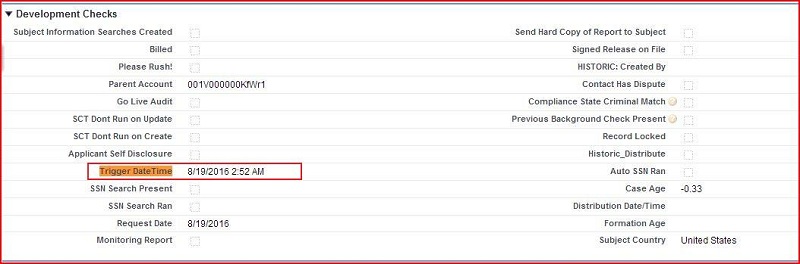
- Set PreEmploy Case's Trigger DateTime to current date & time.
- Set PreEmploy Case's Internal Case Status to 'Approved to Start'.
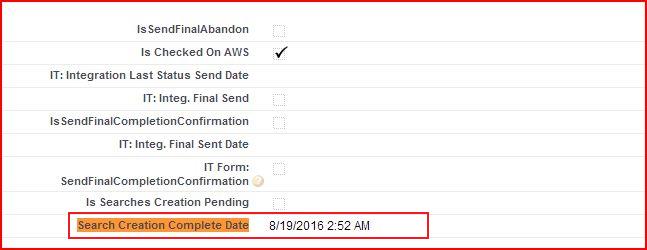
- Set PreEmploy Case's Search Creation Complete Date to current date & time.
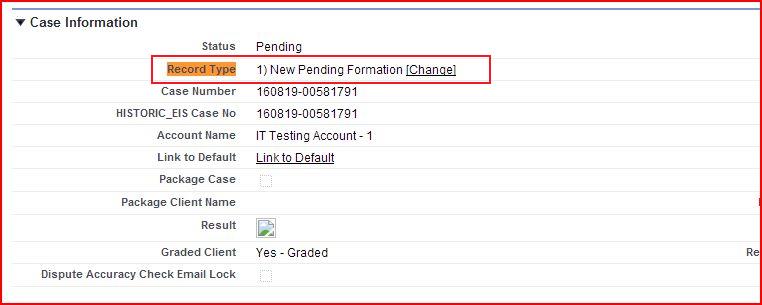
- Set PreEmploy Case's RecordType to '1) New Pending Formation' if RecordType is not equal to 'Case on Hold'.
Other Notes :-
New background search field being assigned as given below :
CreateSearch method of PreEmployCasecl class is used for create background searches in
automation process. This method use processing PreEmploy Case, BGC Order, Service Ordered
and BGC List of Services record for create background search. Script set following field
of background search as given below :-
- a) Set Background Search's RecordType to 'Pending'.
- b) Set Background Search's Verification Creation Needed to checked or unchecked as per Service Ordered's Service
Name.
- c) Set Background Search's Date Requested to processing PreEmploy Case's Order Request Date If PreEmploy Case's
Order Request Date is not equal to blank.
- d) Set Background Search's First Name to processing PreEmploy Case's Subject First Name.
- e) Set Background Search's Last Name to processing PreEmploy Case's Subject Last Name.
- f) Set Background Search's Middle Name to processing PreEmploy Case's Subject Middle Name.
- g) Set Background Search's Applicant State/Providence to 'selected State/Providence' of BGC Order of processing
PreEmploy Case.
- h) Set Background Search's DL State From Case to processing PreEmploy Case's DL_or_ID_State.
- i) Set Background Search's Applicant Zip Code to Subject Zip Code of BGC Order of processing PreEmploy Case.
- j) Set Background Search's Account to processing PreEmploy Case's Account.
- k) Set Background Search's EIS Search Number to Service Ordered's Historic Search No. if Service Ordered's Historic
Search No is not equal to blank.
- l) Set Background Search's PreEmploy Case to processing PreEmploy Case.
- m) Set Background Search's Search Type to Service Ordered's Selected Service.
- n) Set Background Search's Formation Completed by to Created By of BGC Order of processing PreEmploy Case.
- o) Set Notes Technical Troubleshooting to 'RecordTypeId - Pending in Case Create 1'.
- p) Set Background Search's Ready for Processing to checked and Background Search's Status to 'Pending' for
'SSN Address Locator'. Otherwise set Background Search's Ready for Processing to unchecked and Background
Search's Status to 'Formation In Progress'.
- q.1) Set Background Search's Classification is 'Package' If Service Ordered's Package should be checked and also set
Jurisdiction as per given below logic :-
- q.1.a). If Service Ordered not equal to blank & Service Ordered's BGC Package Item not equal to blank then Script
looks on BGC Package Item object for getting value of Specific Jurisdiction and Jurisdiction Specific as per given
below logic:
- Id should be equal to Service Ordered's BGC Package Item.
If record is found as per given condition then script check If Specific Jurisdiction not equal to null and jurisdiction
Specific should be true then set Background Search Jurisdiction to Specific Jurisdiction.
- q.2) Otherwise Set Background Search's Classification to 'A la Carte'.
- r) Set Background Search's Service Ordered to Service Ordered.
- s) Set Background Search's County to processing PreEmploy Case's County If processing PreEmploy Case's County is not
equal to blank.
- t) Set Background Search's Subject of Search to processing PreEmploy Case's Subject of Background if processing
PreEmploy Case's Subject of Background is not equal to blank.
- u) Set Background Search's Search Type to BGC list of Services if BGC list of Services is not equal to blank.