Process of Add Search, Add a Search and Metro buttons
On the Background Check Case Object there are lots of buttons but we use the three buttons for creating the searches.
1. Add Search button:- It is the custom button when we click on the button Then Its Redirect to the AddSearch VisualForce
Page and AddSearch Page use the Controller AddSearch.
2. Add a Search button:- It is the custom button when we click on the button Then Its Redirect to the ClientAddSearch
VisualForce Page and ClientAddSearch Page use the Controller ClientAddSearch.
3. Metro Search button:- It is the custom button when we click on the button Then Its Redirect to the MetroSearch VisualForce
Page and MetroSearch Page use the Controller AddSearch
Add Search Process
Add Search is custom button on the
Background Check Case (PreEmploy_Case__c)
Object Which is used to create the
searches according to the selected
Search Type
on the Add Search Page.
For Add Search Page
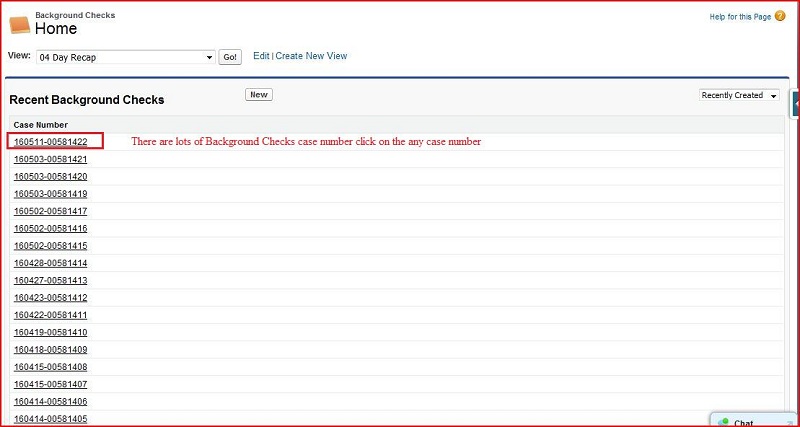
Click on All Tabs ----> Background Check ----> Click on the Case Link
Click on the
Background Check Case
Number Link
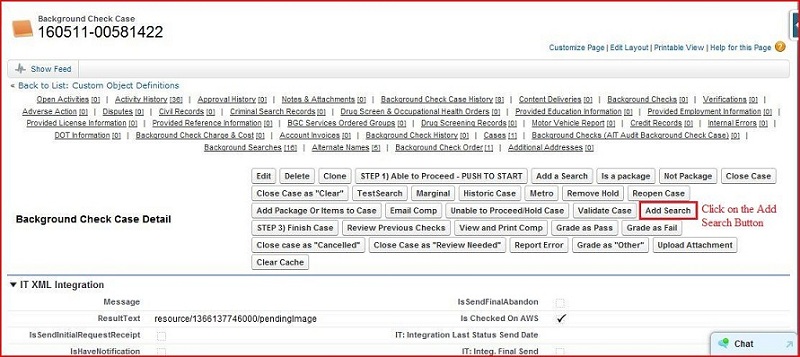
Its display the
Background Check Case
Screen Then Click on the
Add Search
Button
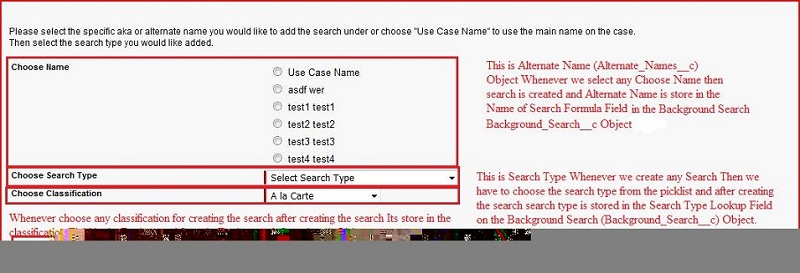
Whenever we click on the Add Search Button then Its redirect to the Add Search VisualForce Page.
Then click on the Add Search button. Search is created according to the selected search type and store in the
Background
Search (Background_Search__c)
Object.
Add a Search Process
Add a Search is custom button on the
Background Check Case (PreEmploy_Case__c)
Object Which is used to create
the searches according to the selected
Search Type
on the ClientAddSearch Visual Force Page.
Click on the Add a Search Button
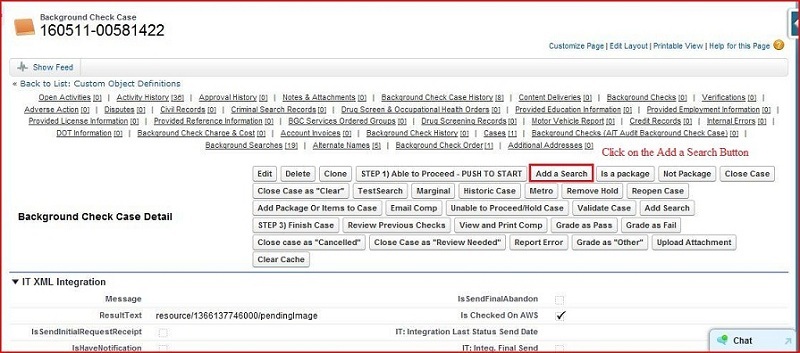
If Help me decide checkbox is false
Then click on the next button Search is created according to the selected search type
and store in the
Background Search (Background_Search__c)
Object.
If Help me decide checkbox is true
Then click on the next button Next Window display the TextArea. Then Input the text in
the textarea and click on the Next Button Then Ticket is created and store in the
Tickets (Case)
Object
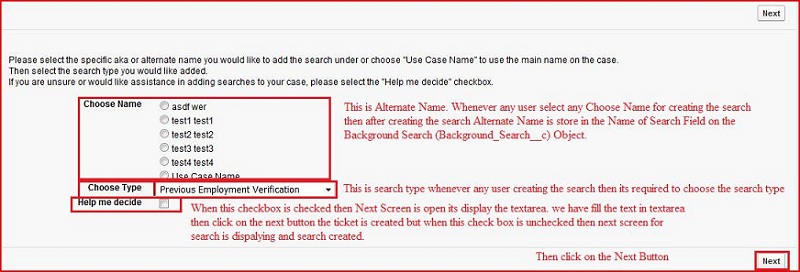
Then Click on the Next Button.
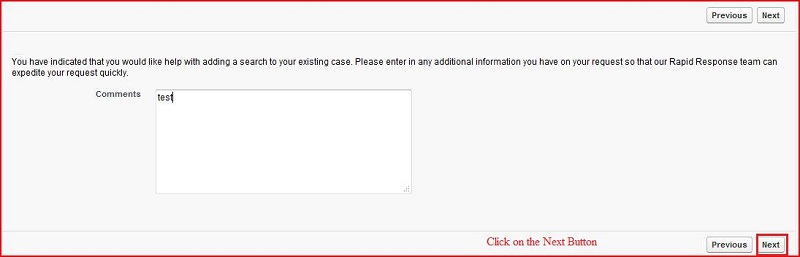
Then Ticket is created.

Metro Search Process
Metro Search is custom button on the
Background Check Case (PreEmploy_Case__c)
Object Which is used to create
the search for county criminal and also set the county for the search (choose the county from the multiple checkboxes) and
also created the statewide search automatically.
on the MetroSearch Visual Force Page.
Whenever we click on the
MetroSearch
button then Its redirect to the
MetroSearch
Page.
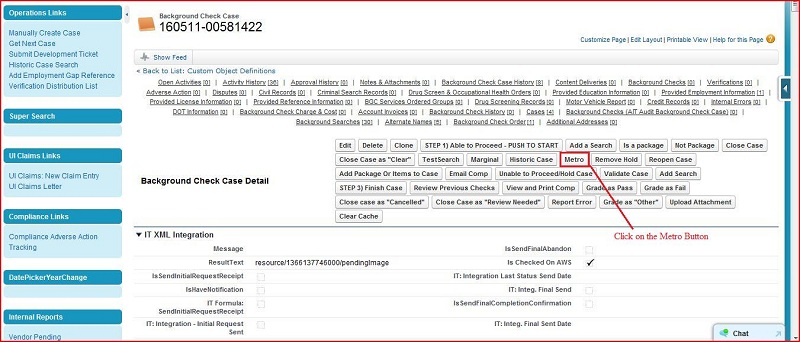
MetroSearch Page
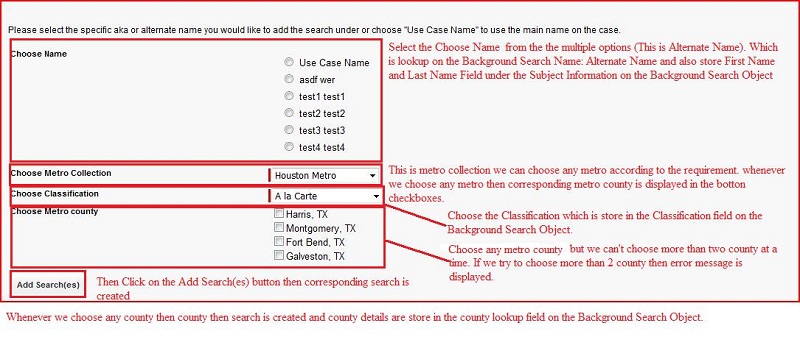
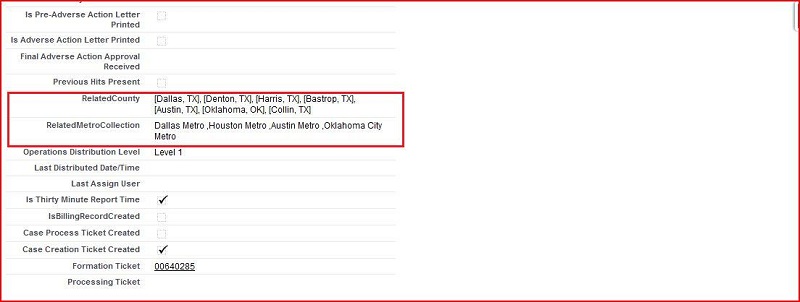
Screenshot of BackgroundSearch on the Background Check Case Object.

Whenever any search is created for metro then Metro Collection Details are store in the
RelatedMetroCollection
and Related County Details are stored in the
RelatedCounty
Field on the
Background Check Case
Object