How to Prepare and Manage Complete CR Note in DTS
Complete CR
It is a collection of all changes and steps that are performed in a task. Complete CR should be mentioned in a single note.
Uses of Complete CR
Complete CR is used to move the changes from one instance to another i.e. from development server to production server.
Prepare Complete CR Note
First, we have to mention the heading of 'Complete CR on Sandbox Name' in bold. After the heading, mention changes of task.
Steps to get the commit log details from SVN
- Right click on the file for which you have made the changes.
- Select the TortoiseSVN from right click.
- Select the Show Log.
- After show log , a new window will be open and on that window again right click on the latest revision Id.
- Select the option "Copy to Clipboard".
- Paste the copied item into CR note.
-
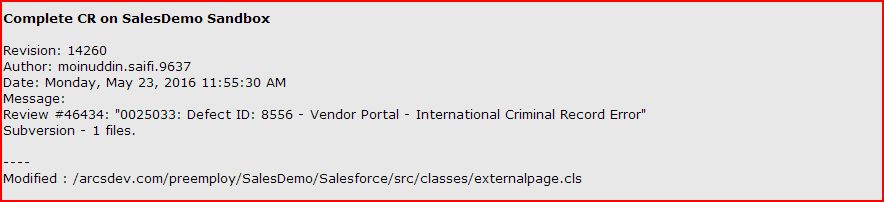
CR Note For Trigger
This CR note describe the complete trigger name in a group in which developer has made any changes.
-
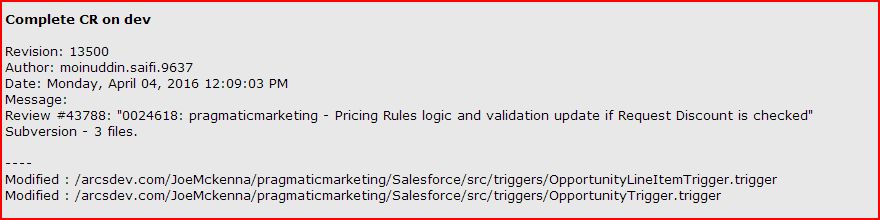
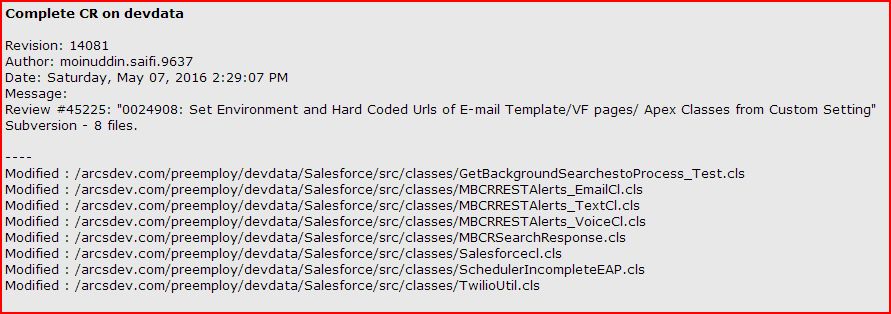
CR Note For Apex Classes
This CR note describe the complete apex class name in a group in which developer has made any changes.
-
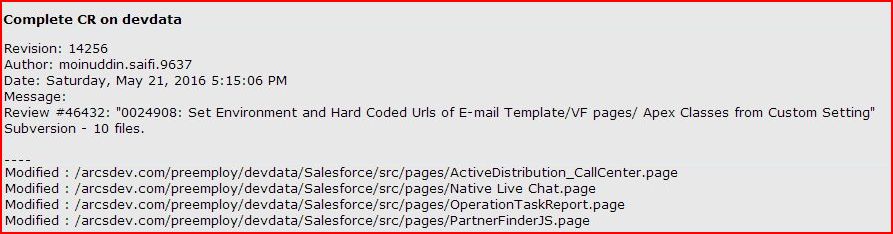
CR Note For Visualforce Pages
This CR note describe the complete visuaforce page name in a group in which developer has made any changes.
-
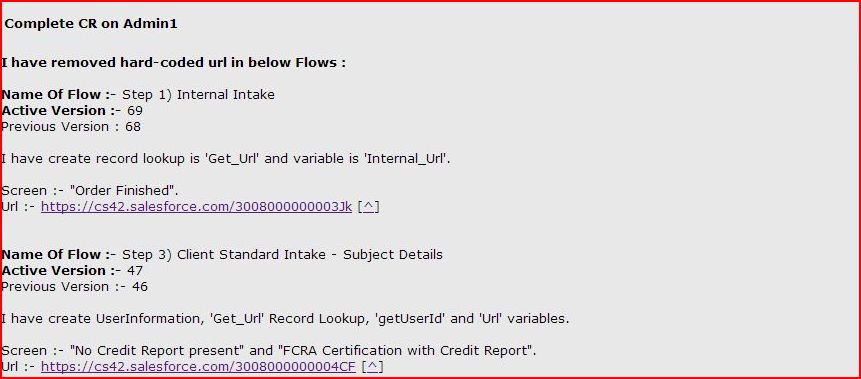
CR Note For Visualforce Flow
This CR note contains name of flow, active version number, previous version number and url of flow. Developer has to mention where changes have been done in this flow.
-
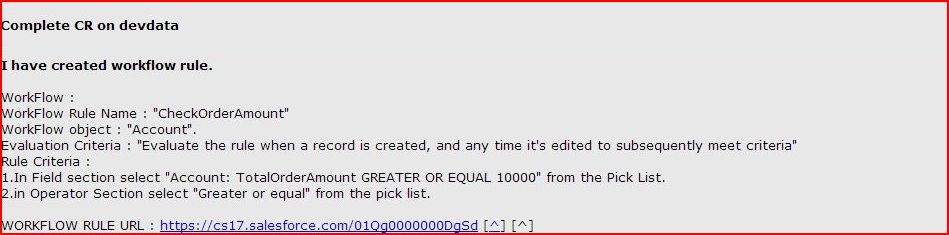
CR Note For Workflow
When developer has created new workflow or modified existing workflow then developer has to mention workflow name, object name, evalution criteria and rule criteria in CR note.
-
CR Note For Email Template
When developer has created new email template or modified existing email template then developer has to mention email template name, subject, field used and email template url in CR note.

-
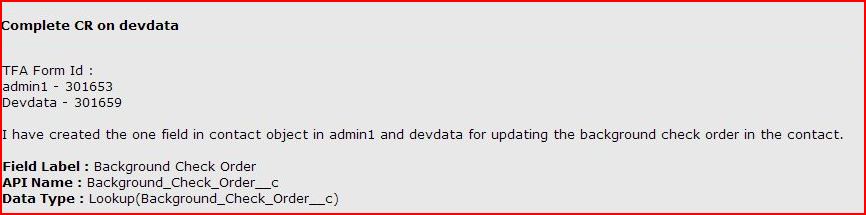
CR Note For TFA Form
This CR note contain TFA form id and changes done by developer in this TFA form.
-
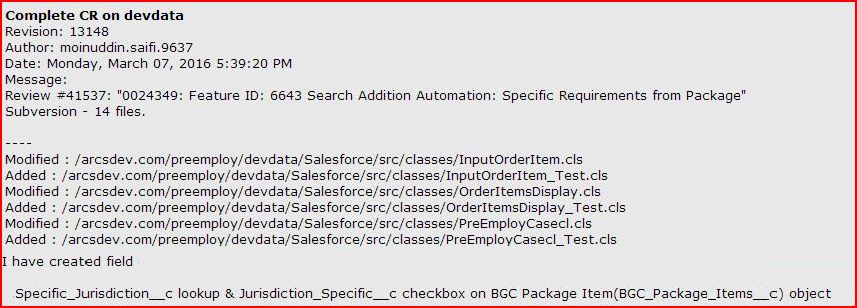
CR Note For Internal Salesforce Changes
This CR describe complete internal salesforce changes done by the developer likes
creating custom & lookup field on object(with field name or Api name) and create any record on this task.
-
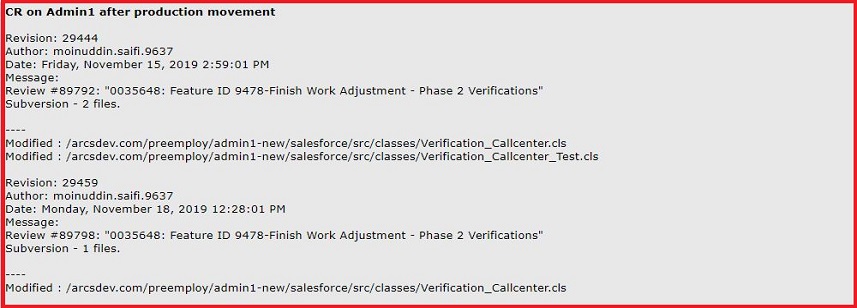
CR Note For After Production Movement Changes
This CR describe changes done by the developer after production movement for any new requirement or production issue.
Manage Complete CR note
Complete CR note has been already mentioned and if developer perform further more changes on task, for that changes commit log should not be added in different note id becuase there should be only one complete CR note in a ticket. So, developer has to add its recent changes into existing Complete CR note.
Example :- Follow the complete CR note written in Ticket - 0024653.
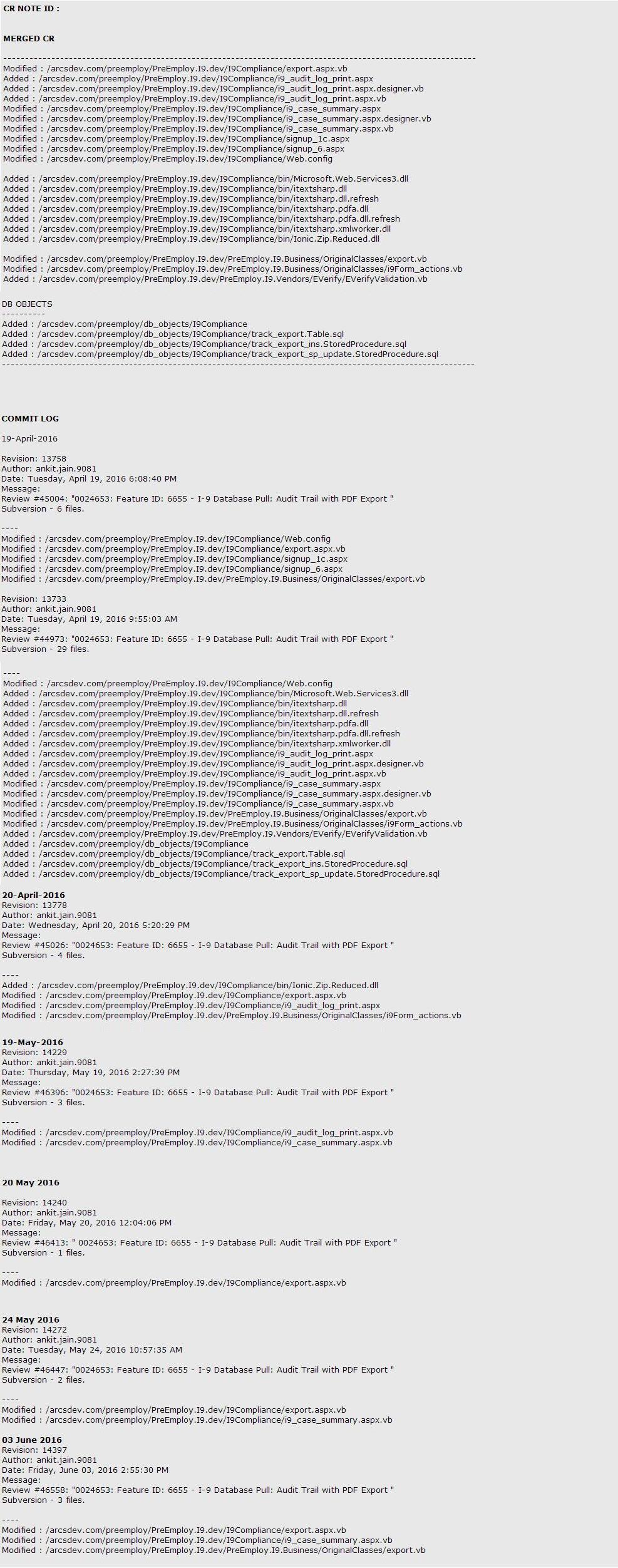
After manage complete CR note, developer has to write one note in which he has to mention that updated CR note id.

Note (Only for salesforce Task) : Code Coverage must be more than or equal to 75% for the apex class and trigger mentioned in CR. Test class also need to mentioned in CR if that is already not a part of CR.