About account object:
In pre-employ, Account is a standard object. For any client who want to place background check order to pre-employ has to have an account.
Account is mandatory field for BGC order, BGC checks and for other object in pre-employ. Background check order will be accepted under any account which is
setup as an active client
Why account object is in pre-employ?
In pre-employ, Account object is use to hold the client's information and setting. Information like first name, last name, address,
shipping address, phone, fax and other information regarding client will be saved in account object.
BGC Configuration :
In pre-employ, BGC configuration is a child of account object which is use to hold the client setting.
How to reach account object and its fields ?
There are mainly two ways to reach out account standard object and its fields.
1: With the help of 'Quick setup' search box.
2. With the help of 'All tab' button.
1: With the help of 'Quick setup' search box :
Step 1 : Click on the user name (Right corner of the screen).
Step 2 : Select setup.
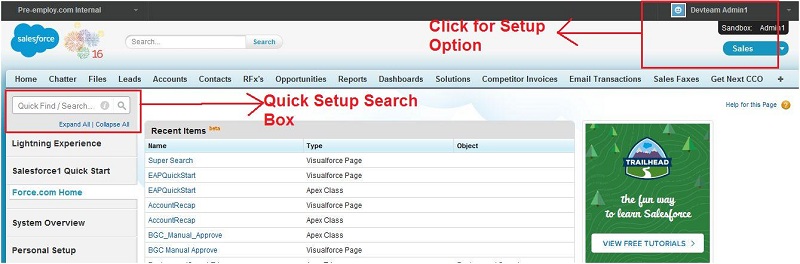
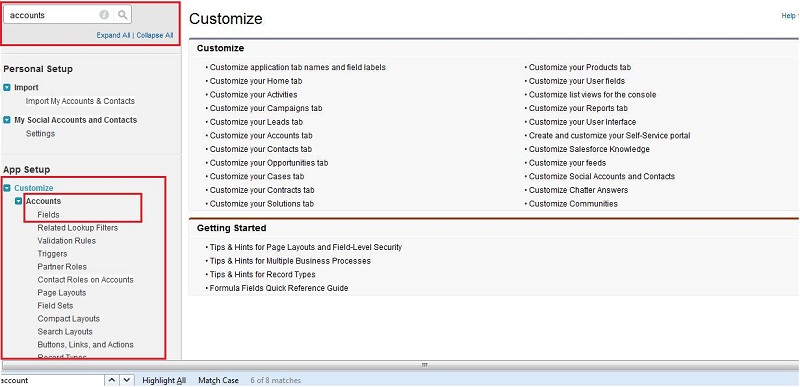
Step 3 : Write 'account' in quick setup box.
Step 4 : Under customize tab click on accounts fields.
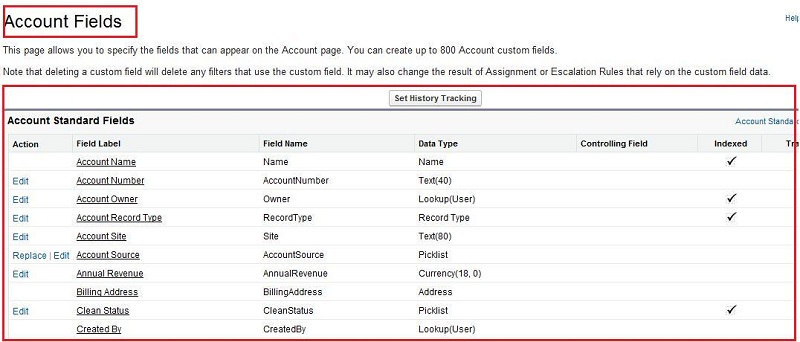
Step 5 : All the accounts fields are in this page.
2. With the help of 'All tab' button :
Step 1 : Click on all tab button on the home page of salesforce.
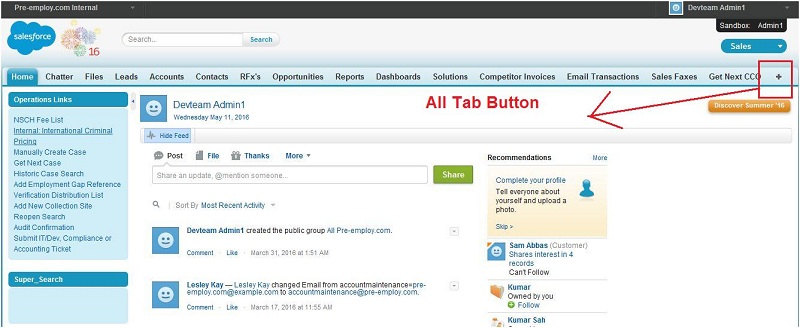
Step 2 : Search for accounts and click on accounts.
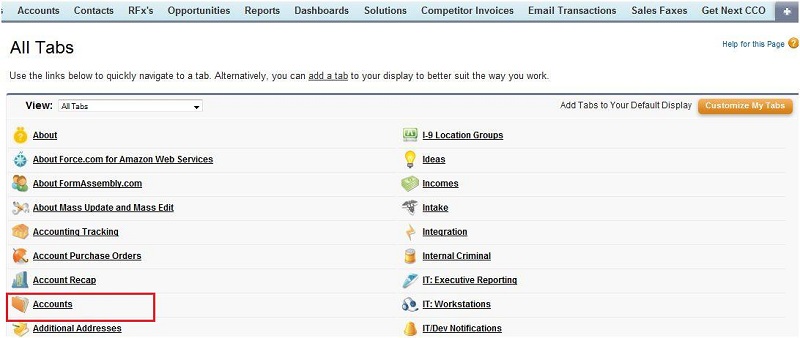
Step 3 : Click on the right side of quick button(Force.com) and select view fields.
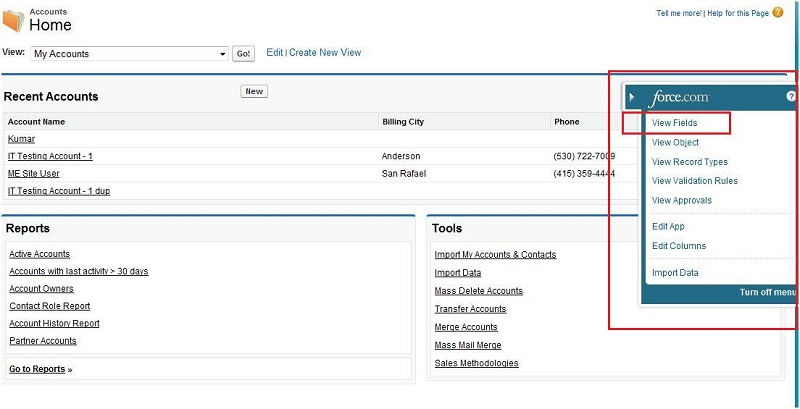
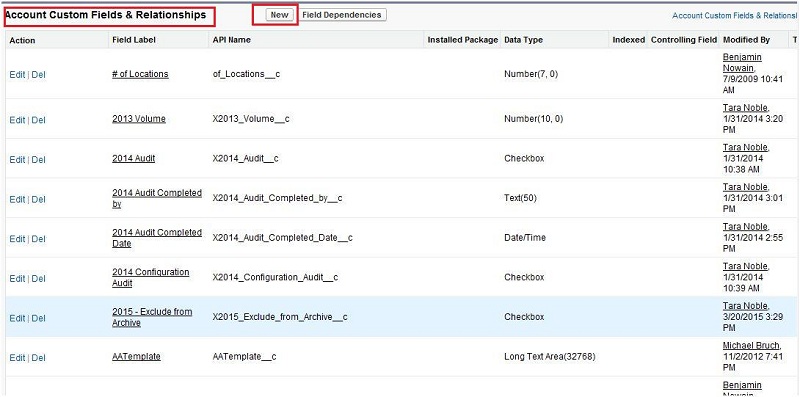
Step 4 : All the standard and custom fields of account object is available on this page.
Note: We can create account object custom field by clicking on new button on this page.
Mandatory field for creating new account :
1. Account Name
Field Label : Account Name
Field Name : Name
Data Type : Name
Data insertion in account object fields :
Field Name : Account Name
This field holds the value of the account's name.
In this field value is entered by user.
This field is mandatory while creating new account .
Field Name : Account Number
This field holds the value of the accounts number.
In this field value is entered by client.
Field Name : Account Owner
This field holds the value of the accounts owner.
This field value is assigned automatically by the flow.
Field Name : Billing Address
This field holds the value of the client's billing address.
This field value is entered by client manually.
Field Name : Shipping Address
This field holds the value of the client's shipping address.
This field value is entered by client manually.
About account's trigger:
There is no trigger running for the account object.
Steps to create accounts in pre-employ :
Step 1 : Click on accounts.
Step 2 : Click on new.
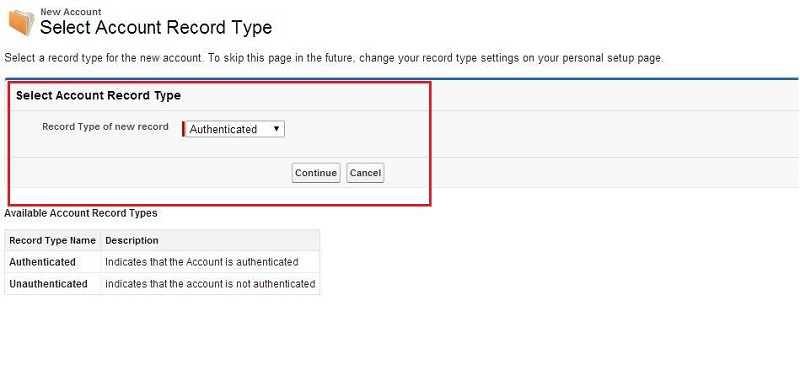
Step 3 : Select the account type and continue.
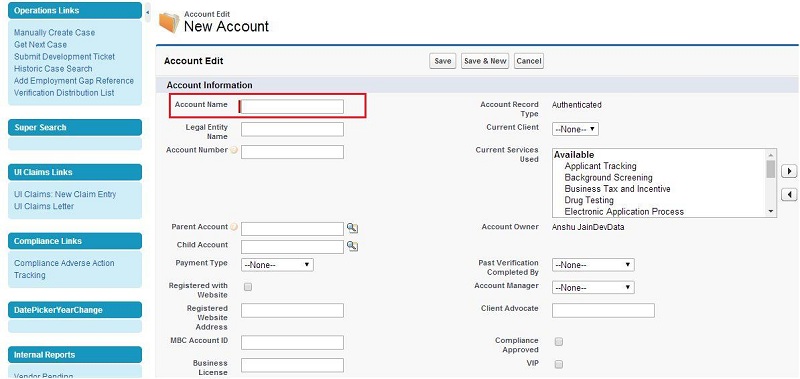
Step 4 : Fill the required field and click on save.
Step 5 : New account is created.
Account's objects relationship :
In pre-employ, account is a standard object and lookup with many objects, some of them are given below :
-
Contact
-
Opportunity
-
Product
-
Background Check
-
Background Searches
-
BGC Configuration
-
Ticket
-
Order
Main objective of account object :
The main role of the account object in the pre-employ is to maintain the package for the particular user and
hold all the information related to the client. Pre-employ is providing the package or services to the client based on there account.