08. Case Archive
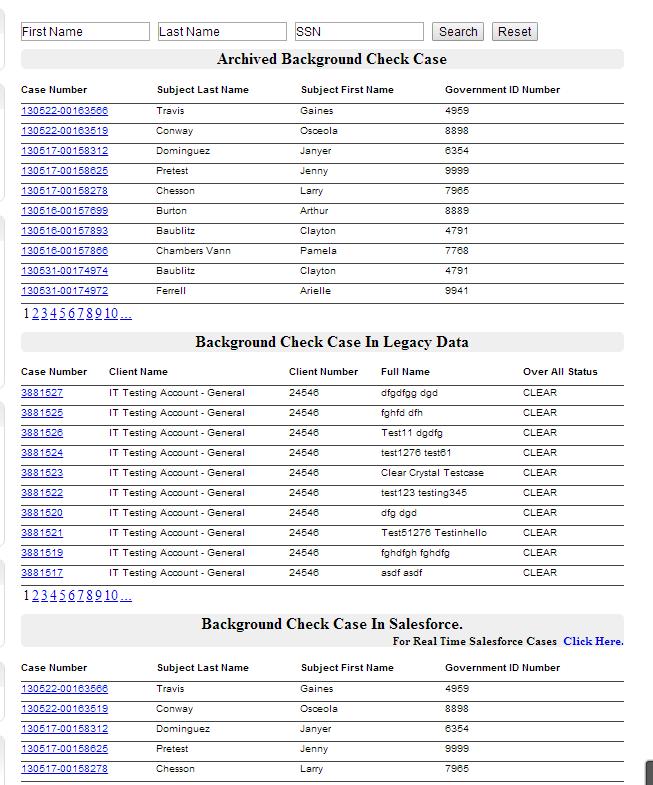
“Case Archive” is a custom link in client portal on left menu. This links navigates to page which is accessible only when at account level "Case Archive Access" is True otherwise page will display "This account is not enabled for historic record access. Please contact customer service." When “Case Archive” is then selected from, it opens the search window in new tab- users are able to see their Cases of the loggin account which are in SQL Server DB, Legacy System and internal salesforce.
And also user has ability to search the case by
a. Last Name
b. First and Last Name
c. SSN
The page is divided into 3 section of DB records, Legacy System records and internal SF records. When Case number link is clicked user can view its comp report or case detail page in IFrame with in the page.