03. View Background Check Result
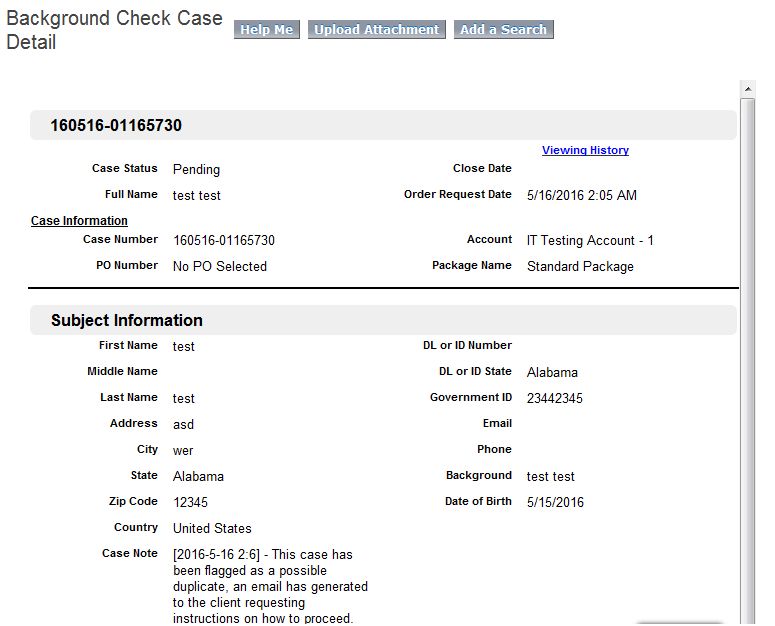
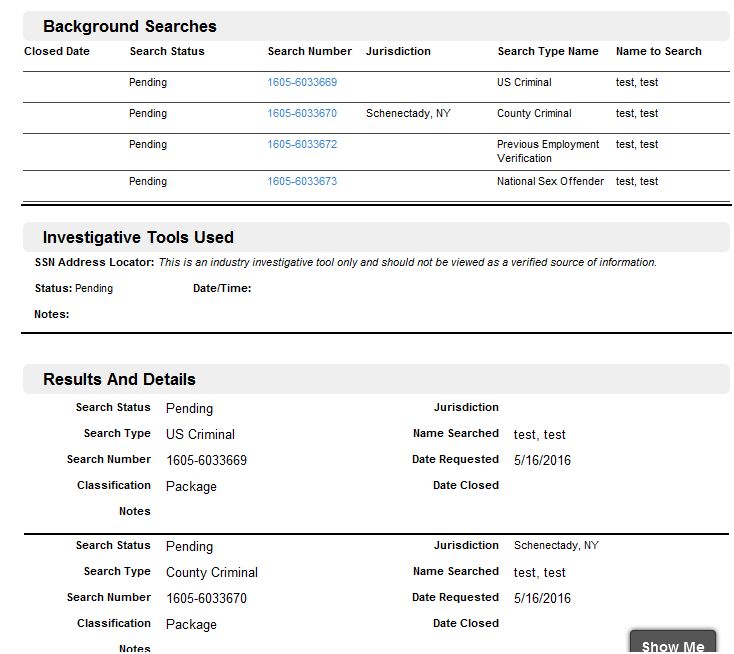
When Order is created through the client portal then in internal salesforce Background Check case is created by clicking Internal Push Order button on order page. When Case is created then Background searches are created associated with that BGC Case according to the Services and Intake records in the order.
After the case is created then client views its case report on the client portal and then has ability to do following things
- Add Searches: The items which are added additional after the case creation to be verified.
- Upload Attachment: Attachment added in case also associate with the order also.
- Create Ticket.
- Viewing History: User lists who have viewd the PDF report of the particular case.
- View/Save PDF report. PDF version of Case detail page.
- View Search Details: Links that navigate to search detail page in client portal
- Review/Print Drug Test Registration Form: Link opens PDF report of Drug Test or OCC report. This displays only there is search of Drug Test or OCC present in the case. The Latest search among both searches this link will display that search report.